ReportBurster in 5 Minutes
Our visual guide makes it easy to install and use ReportBurster. See every step with clear screenshots and concise instructions.
Table of Contents
- Download ReportBurster
- Java Setup (Prerequisite)
- Burst Payslips.pdf Sample Report
- More Ideas
- Works With Your Software
- Troubleshooting
Download ReportBurster
-
Download the latest version:
reportburster.zip -
Extract the zip file to your preferred location
Example:C:/ReportBurster
(Tip: Use a simple path like C:/ReportBurster instead of C:/Program Files/ReportBurster for easier access)
Java Setup (Prerequisite)
ReportBurster requires Java 17 or higher. Follow these installation steps only if Java is not already installed on your computer.
-
Run as Administrator

Right-click ReportBurster.exe and select "Run as Administrator"
-
Missing Java Detected
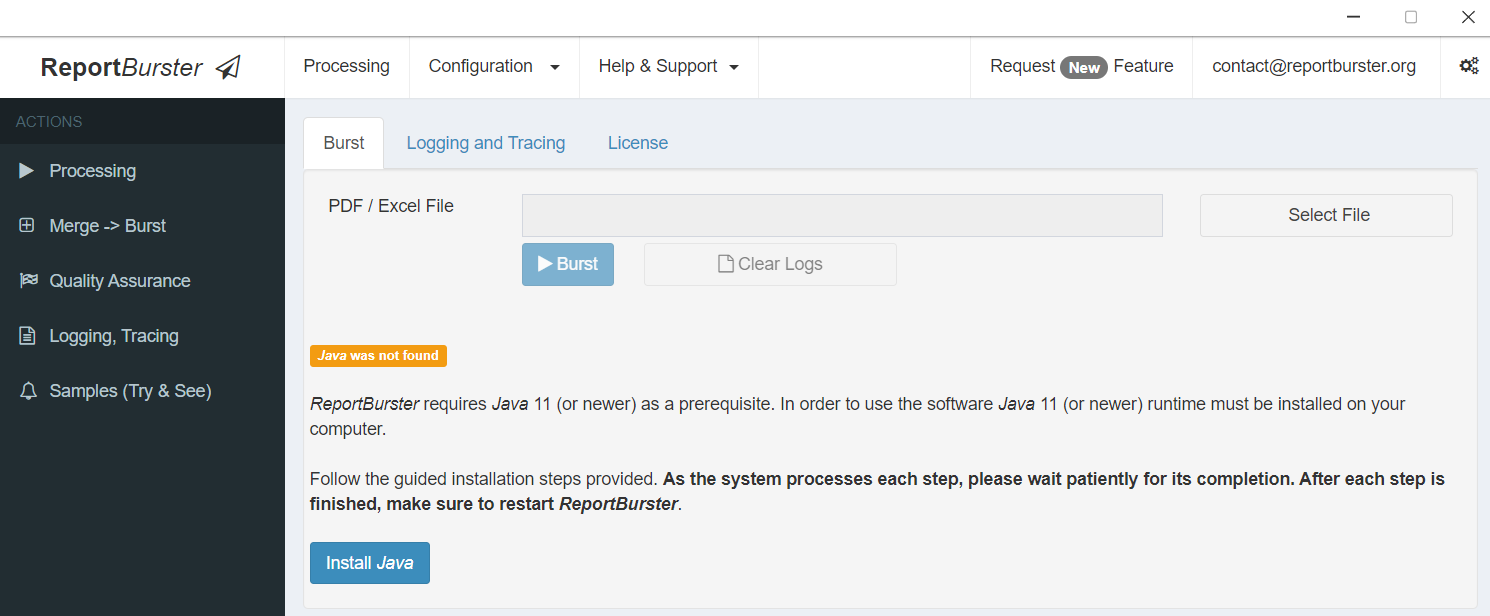
ReportBurster automatically detects missing Java and offers installation
Proceed by clicking Install Java
-
Installing Chocolatey
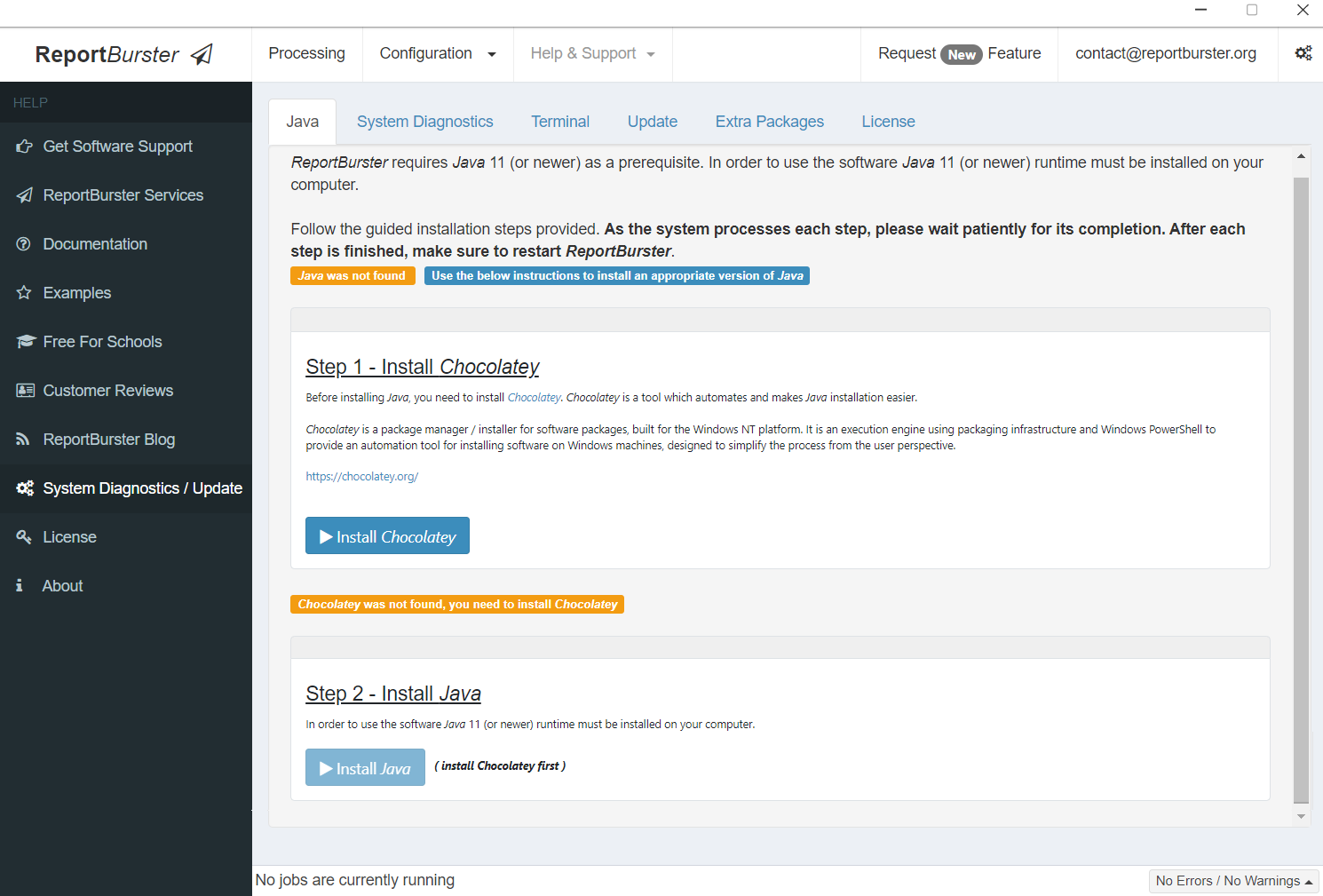
Click Install Chocolatey (Chocolatey Package Manager is required for installing Java)

Click Yes and wait patiently for Chocolatey to install (this message confirms that the Chocolatey installation is complete)
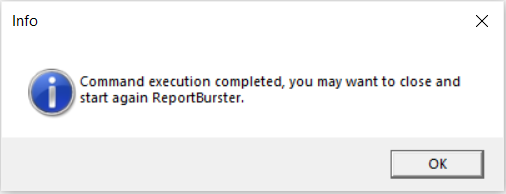
Chocolatey installation is now complete
Once Chocolatey is installed, restart ReportBurster
-
Installing Java
Click Install Java to proceed
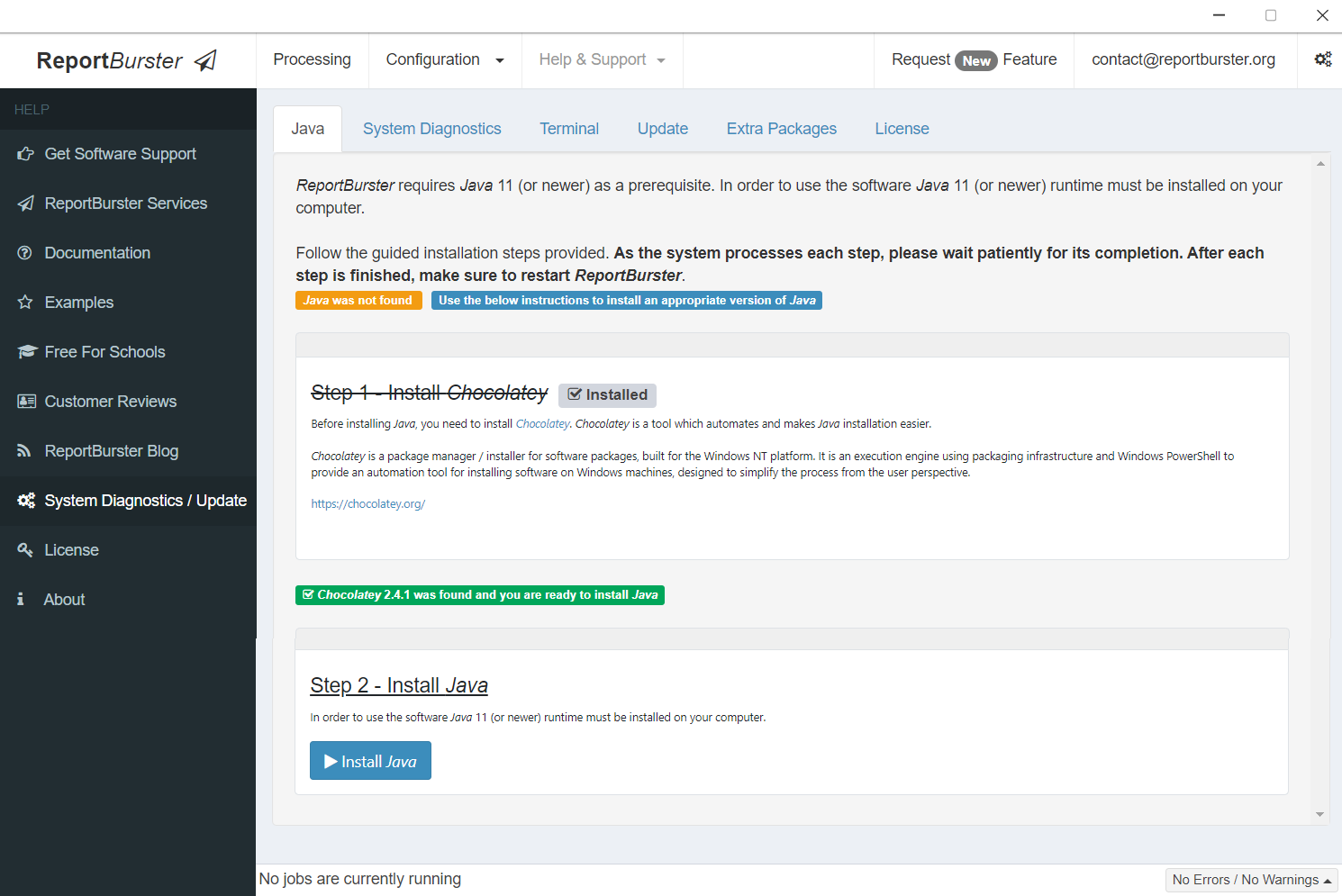
Click Install Java once more
Click Yes and wait patiently for the Java installation to complete
Once Java installation is complete, restart ReportBurster and experience its automation magic.
Burst a Sample Report - Payslips.pdf
ReportBurster includes a sample three-page samples/Payslips.pdf document (in the samples folder).
When you burst this report, it will generate three output files for the distinct employees found in the input report:
Please check/click the samples/Payslips.pdf report to see how the burst tokens are defined like email addresses delimited by curly brackets, { and }
-
Launch ReportBurster
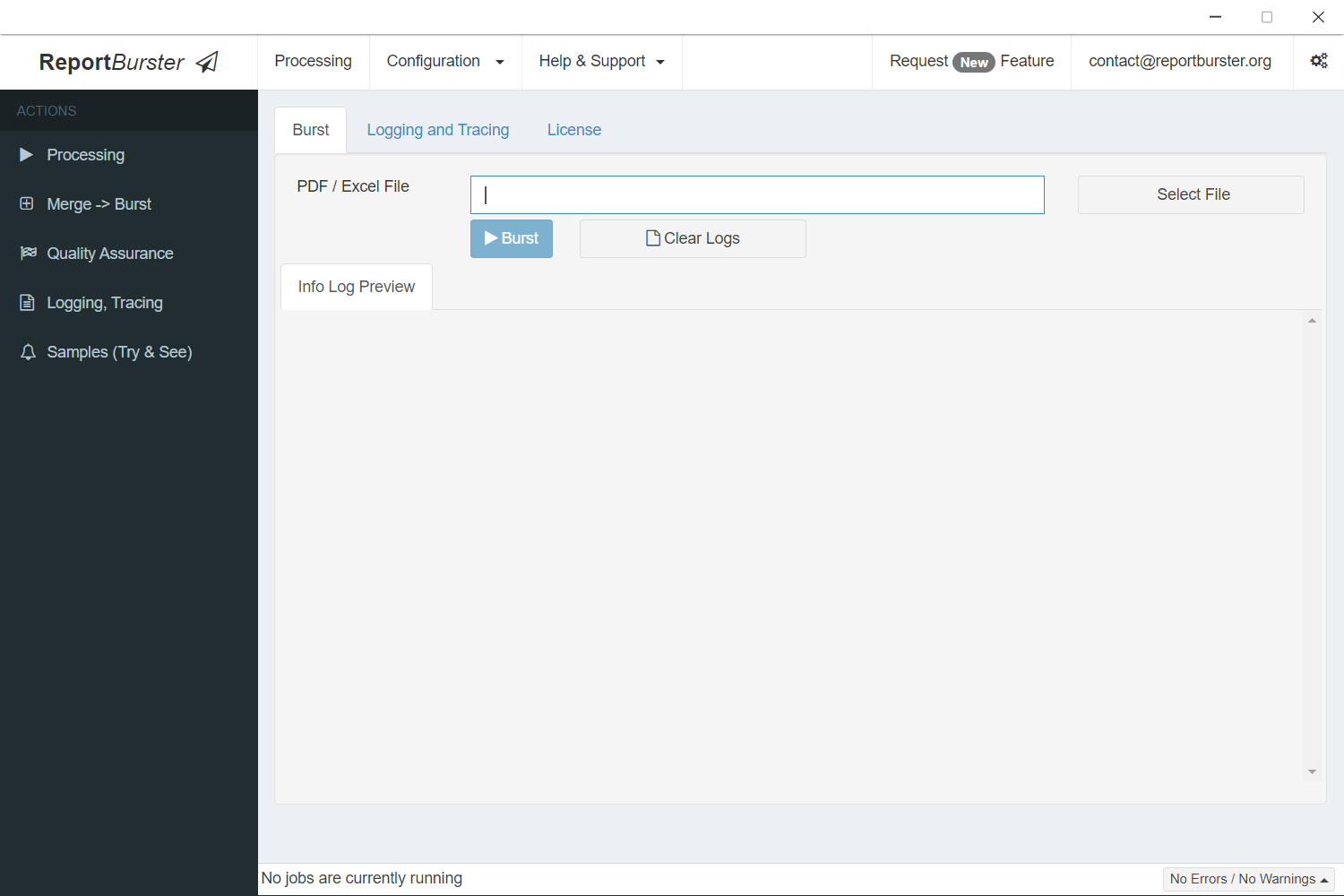
Let's see exactly how ReportBurster works. First, launch the application
-
Select Your Document
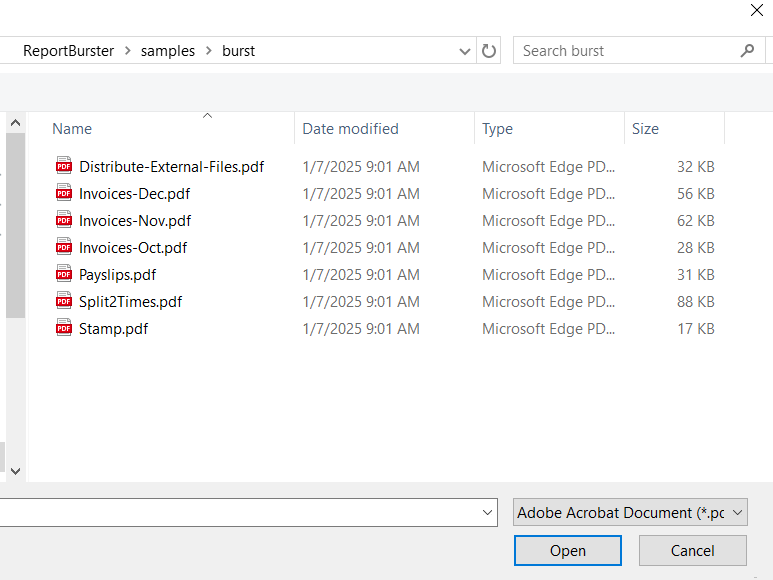
Select your document file containing all the reports needing distribution
-
Payslips.pdf (sample report)
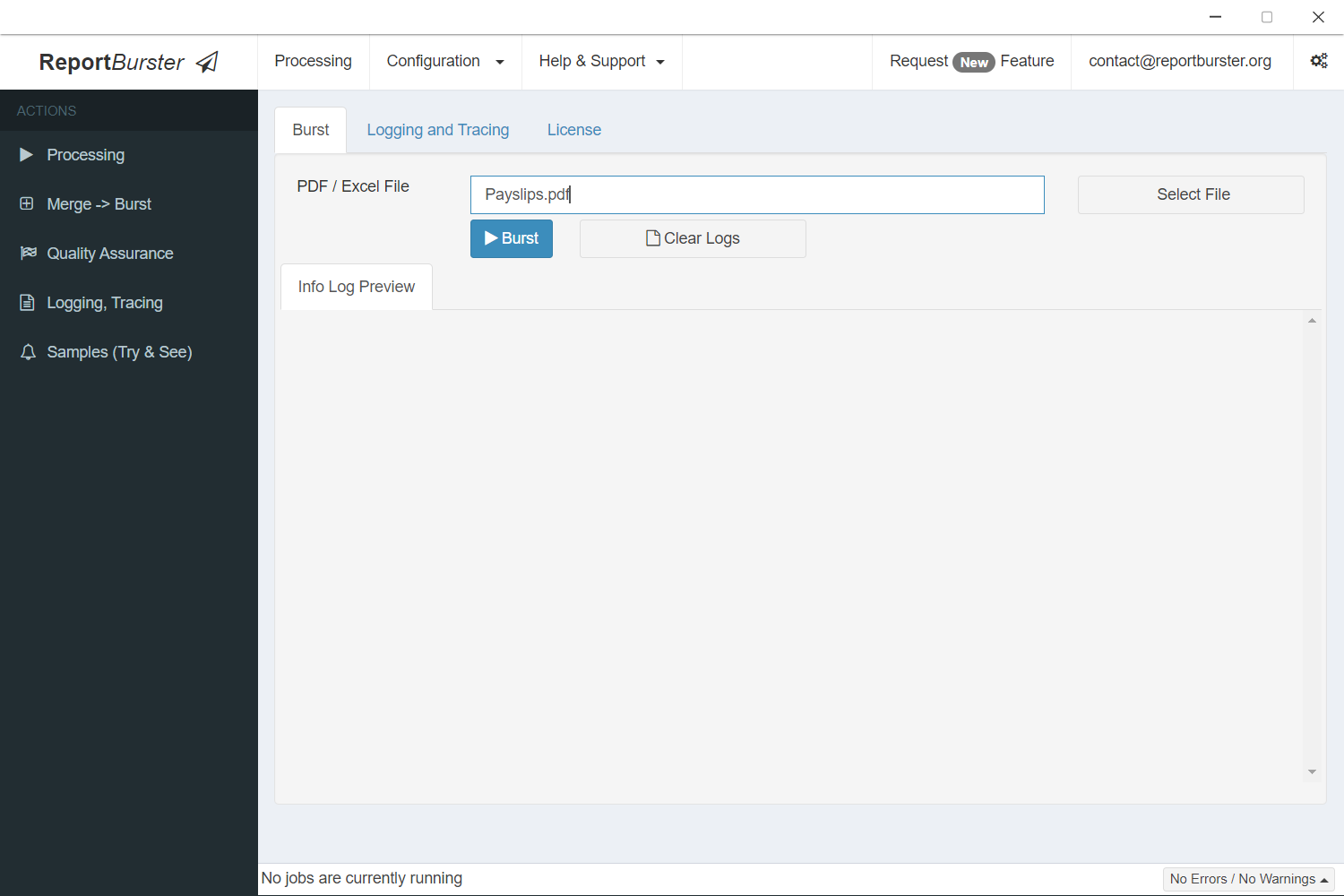
We'll demonstrate with monthly payslips, but this identical workflow works perfectly for invoices, financial statements, or any recurring document type
-
Start Processing
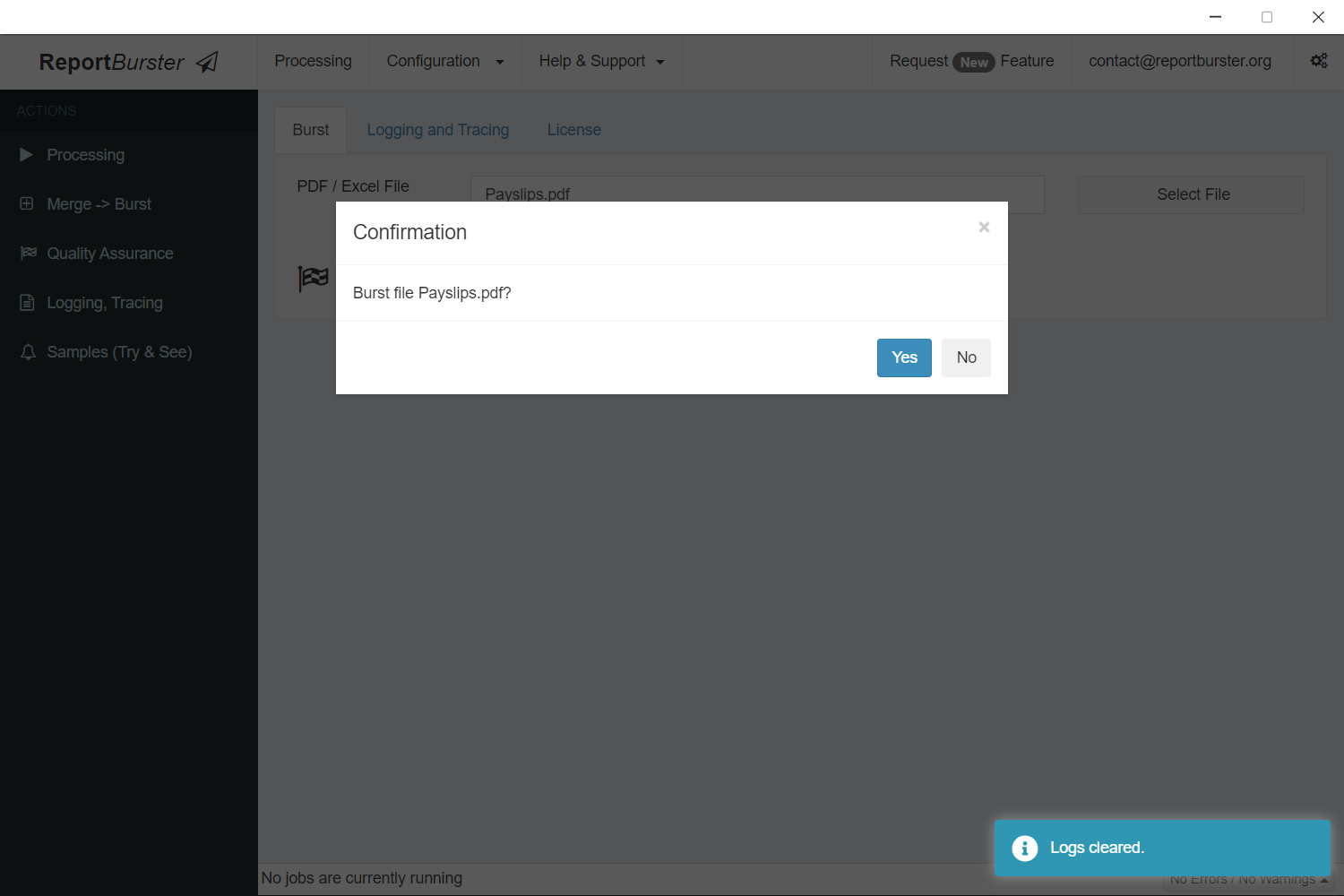
Initiate the automated processing with a single click
-
Watch the Magic Happen
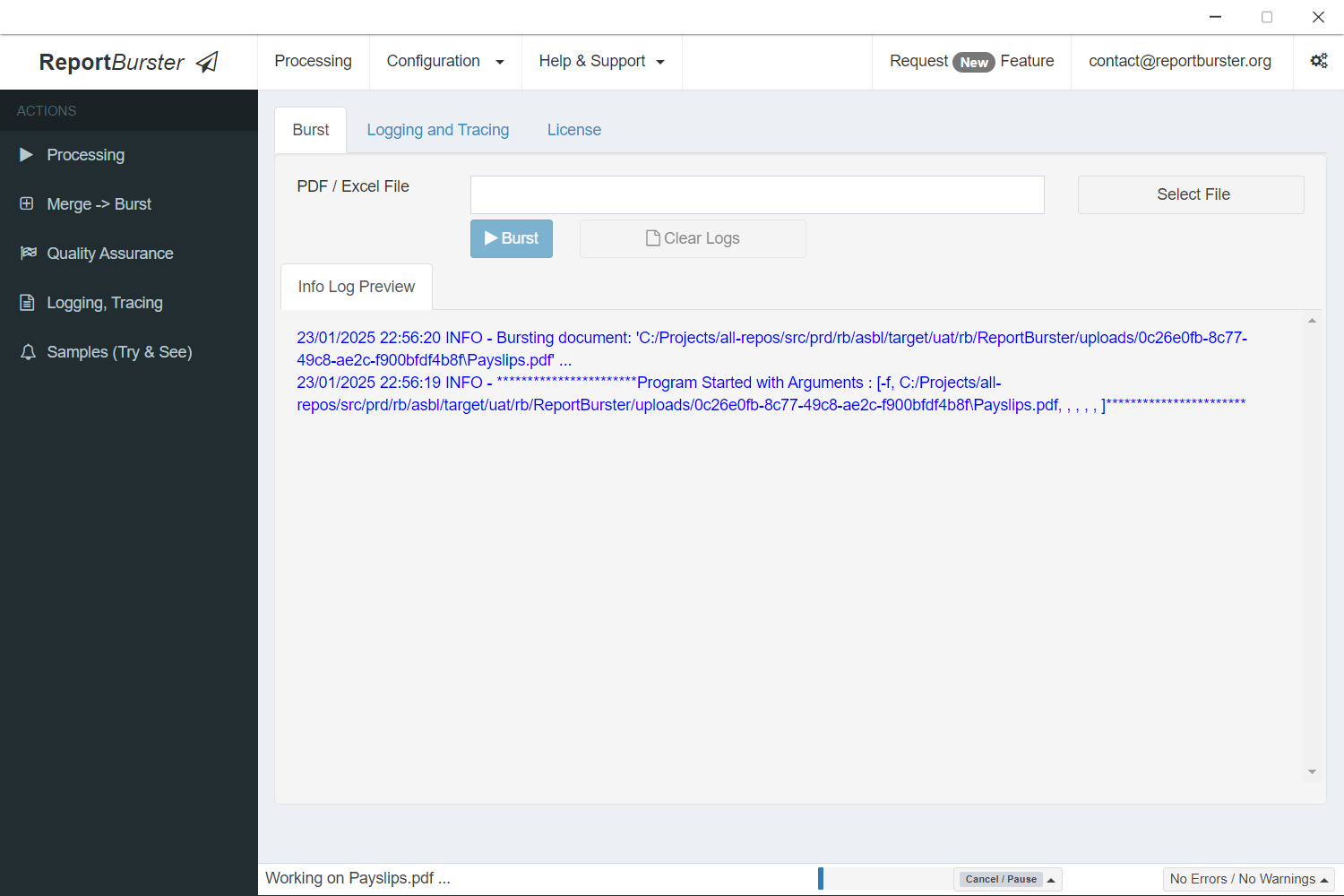
Watch ReportBurster's automated system distribute documents quickly and accurately
-
Review Results
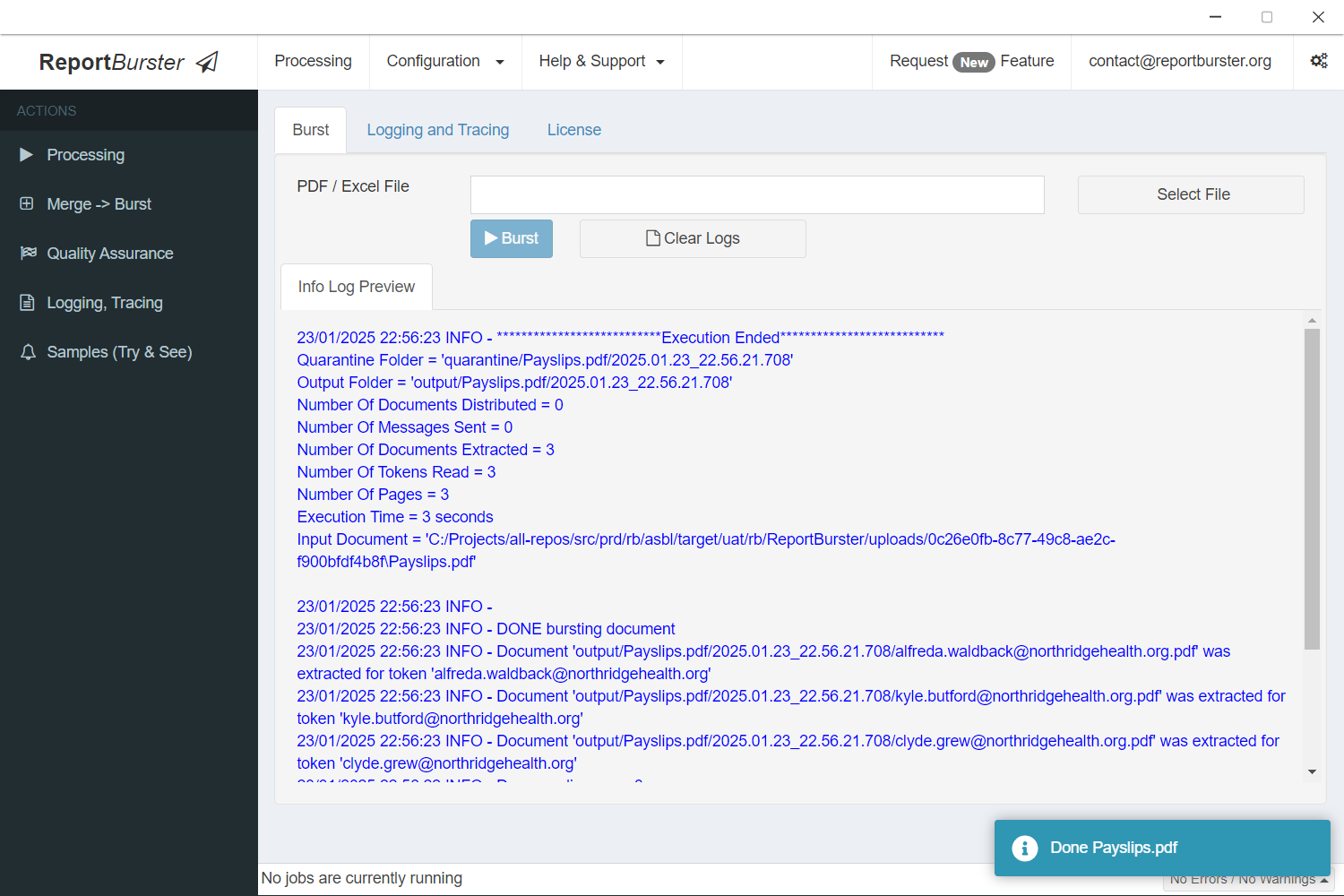
Processing is complete! You can now review detailed statistics for all distributed files
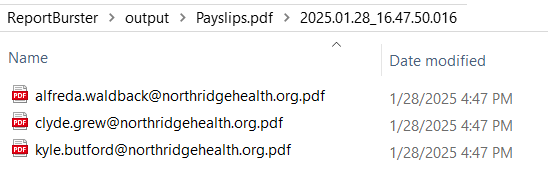
This example generated three output files—one for each employee—named after their email address (configurable).
The same workflow works perfectly for invoices, financial statements, or any other document type, and can handle thousands of individual payslips, invoices, or reports for your customers and partners.
More Ideas
Looking for more automation inspiration? Explore our samples.
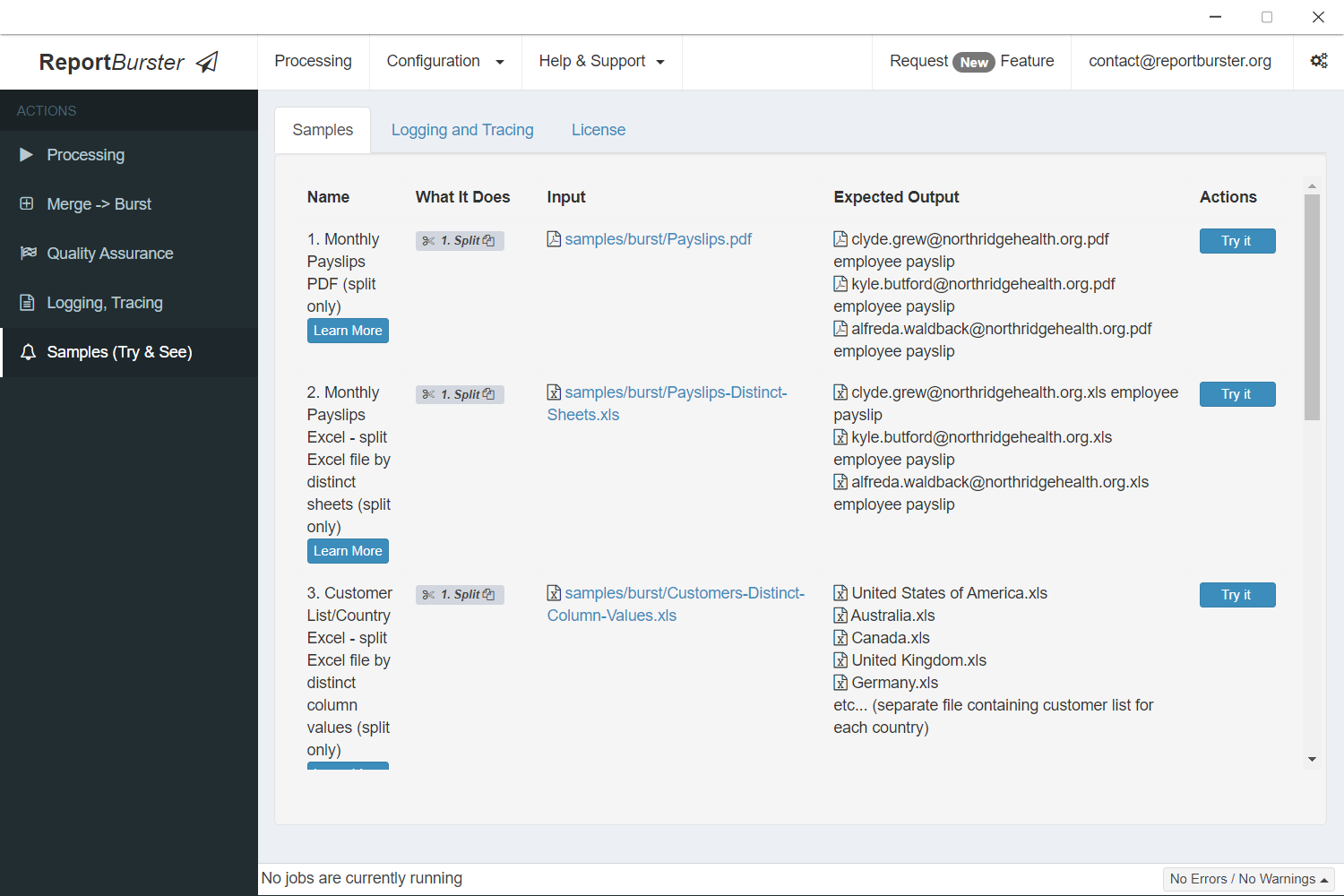
How People Use ReportBurster
Report Distribution Software - User Testimonials & Use Cases
Crystal Reports Distribution - User Testimonials & Use Cases
Email Payslips - User Testimonials & Use Cases
Yes, ReportBurster Works With Your Existing Business Software
ReportBurster serves as the ultimate Swiss Army knife for document processing, integrating seamlessly with any enterprise software you currently use - including Crystal Reports, SAP, Oracle, Microsoft solutions, Lewis PAY-PACK, MYOB, and even those legacy systems your IT department keeps promising to replace.
Troubleshooting
For getting solutions to common difficulties and startup problems please read our ReportBurster Troubleshooting guide.