The Team
Meet the FlowKraft AI Crew — five AI experts that collaborate to help you build reporting solutions, data pipelines, and web portals with ReportBurster.
Table of Contents
- Meet the AI Crew
- Team Overview
- Athena — ReportBurster Guru & Data Strategist
- Hephaestus — Backend & Automation
- Hermes — Grails Portals
- Pythia — WordPress Portals
- Apollo — Next.js Web
- How the Team Works Together
- FlowKraft AI Hub
Meet the AI Crew
ReportBurster ships with a team of five AI experts — the FlowKraft AI Crew. Each member has deep expertise in a specific domain. Together, they cover the full journey from requirements gathering through data modeling to a working application.
Athena leads the way. She is the one you will work with most — your go-to for everything ReportBurster, data modeling, SQL, and business analysis. The other four are specialists you call on when you are ready to build.
Team Overview
| Member | Role | Specialty |
|---|---|---|
| Athena | ReportBurster Guru & Data Strategist | ReportBurster configuration, data modeling, SQL, OLAP, PRD authoring |
| Hephaestus | Backend & Automation Advisor | Job scheduling, ETL pipelines, data processing, scripting |
| Hermes | Grails Portal Advisor | Self-service portals, admin dashboards, Groovy web apps |
| Pythia | WordPress Portal Advisor | CMS portals, content modeling, theme customization |
| Apollo | Next.js & Modern Web Advisor | React applications, TypeScript, modern frontend |
Athena — ReportBurster Guru & Data Strategist
Athena is the starting point for most projects. She combines deep ReportBurster knowledge with data modeling and business analysis expertise — making her equally comfortable walking you through a report configuration, designing a star schema, writing SQL queries, or drafting a full Product Requirements Document.
How she helps you:
- Walks you through ReportBurster configuration, report bursting, email distribution, and scripting — via the UI, step by step
- Helps you design database schemas using proven data modeling patterns
- Helps you write SQL queries across all supported databases
- Helps you author Product Requirements Documents with visual diagrams for feature breakdowns
- Helps you create ER diagrams, flowcharts, HTML mockups, and dashboard wireframes through Chat2DB
- Guides you through OLAP data warehouse setup, pivot table reports, and BI dashboards
When the PRD is ready, Athena hands off to the specialist who matches your stack — Hephaestus for backend, Hermes for Grails, Pythia for WordPress, or Apollo for Next.js.
Hephaestus — Backend & Automation
Named after the god of craftsmanship, Hephaestus is the backend craftsman of the team. He helps you design and build the data pipelines, scheduled jobs, and automation scripts that power your reporting workflows.
How he helps you:
- Helps you design ETL pipelines and data transformation jobs
- Guides you through job scheduling, retry strategies, and failure handling
- Helps you build data processing flows for databases, email, and file integrations
- Walks you through database migrations and schema management
- Helps you script complex automation patterns in Groovy
His stack: Spring Boot, Groovy, Spring Integration, Quartz
Collaboration partners:
- Athena creates the PRD and data models — Hephaestus helps you implement the backend automation
- Hermes / Pythia / Apollo help you build portals — Hephaestus helps you build the ETL jobs that feed data to those portals
Hermes — Grails Portals
Named after the messenger god, Hermes specializes in Grails-based self-service portals and admin dashboards. If your team already uses Groovy (the same language as ReportBurster scripts), Hermes gives you one language across the entire stack.
How he helps you:
- Helps you build self-service document portals (payslips, invoices, statements)
- Guides you through admin dashboard design and layout
- Helps you configure domain models and authentication
- Walks you through views, layouts, and responsive design
- Helps you scaffold CRUD interfaces for rapid development
His stack: Grails, Groovy, Bootstrap
Collaboration partners:
- Athena creates the PRD and data models — Hermes helps you build the Grails portal that presents that data
- Hephaestus helps you build ETL jobs that feed data to the portals
- Pythia and Apollo are alternatives for teams preferring WordPress or Next.js over Grails
Pythia — WordPress Portals
Named after the Oracle of Delphi, Pythia brings the power of the WordPress ecosystem to your document portals. She helps you build production-grade portals using flexible content modeling and modern themes — without writing raw SQL.
How she helps you:
- Helps you build self-service document portals using custom content types
- Guides you through theme customization with modern templating and styling
- Helps you leverage the WordPress plugin ecosystem for payments, communities, and analytics
- Helps you design user authentication and role-based access control
- Walks you through responsive portal layouts with document download, search, and filtering
Her stack: WordPress, PHP, Sage theme, Tailwind CSS, PODS
Collaboration partners:
- Athena creates the PRD and data models — Pythia helps you build the WordPress portal that presents that data
- Hephaestus helps you build ETL jobs that feed data to the portals
- Hermes and Apollo are alternatives for teams preferring Grails or Next.js over WordPress
Apollo — Next.js Web
Named after the god of light and knowledge, Apollo brings modern React development to the team. He helps you build type-safe, server-rendered applications — ideal for teams that want a modern JavaScript stack.
How he helps you:
- Helps you build self-service portals and analytics dashboards with server-rendered React
- Guides you through component architecture for optimal performance
- Helps you configure type-safe database access and schema management
- Walks you through authentication and user management
- Helps you create polished UI with modern component libraries
His stack: Next.js, TypeScript, React, Tailwind CSS
Collaboration partners:
- Athena creates the PRD and data models — Apollo helps you build the Next.js app that presents that data
- Hephaestus helps you build ETL jobs and backend APIs that the apps consume
- Hermes and Pythia are alternatives for teams preferring Grails or WordPress over Next.js
How the Team Works Together
The AI Crew follows a consistent collaboration pattern across every project:
1. Start with Athena — Describe what you need. Athena helps you think through the requirements, design the data model, and write a Product Requirements Document (PRD).
2. Athena hands off to a specialist — Once the PRD is solid, you take it to the team member who matches your technology stack:
| If you need... | Talk to... |
|---|---|
| Backend jobs, ETL pipelines, scheduled automation | Hephaestus |
| A Grails/Groovy web portal | Hermes |
| A WordPress CMS portal | Pythia |
| A Next.js/React web application | Apollo |
3. Guided pair-development — Each specialist follows the same workflow: read the PRD, break it into numbered tasks, and work through each task with you one at a time. They explain the approach, provide the code snippet, tell you where to put it. You integrate, test, iterate. Then the next task.
4. Athena stays available — She remains your go-to for requirements questions, data model changes, SQL queries, and ReportBurster configuration throughout the project.
The team works with you, not for you. This is mentored pair-development — you stay in the driver's seat, learn the codebase, and build understanding.
Want to skip straight to a working app? Claude Code is exceptionally good at autonomous coding. Hand it a PRD created with Athena or a task file created with any of the specialists — and Claude Code will often generate your entire custom portal or dashboard in a single shot. Iterate a bit and you will get incredible results without writing any code yourself.
FlowKraft AI Hub
The FlowKraft AI Hub is the home base for the entire AI Crew. It is a small web app that ships with ReportBurster and runs locally — you open it from the ReportBurster desktop UI, provision your agents once, and then chat with any member of the team from there.
Starting the AI Hub
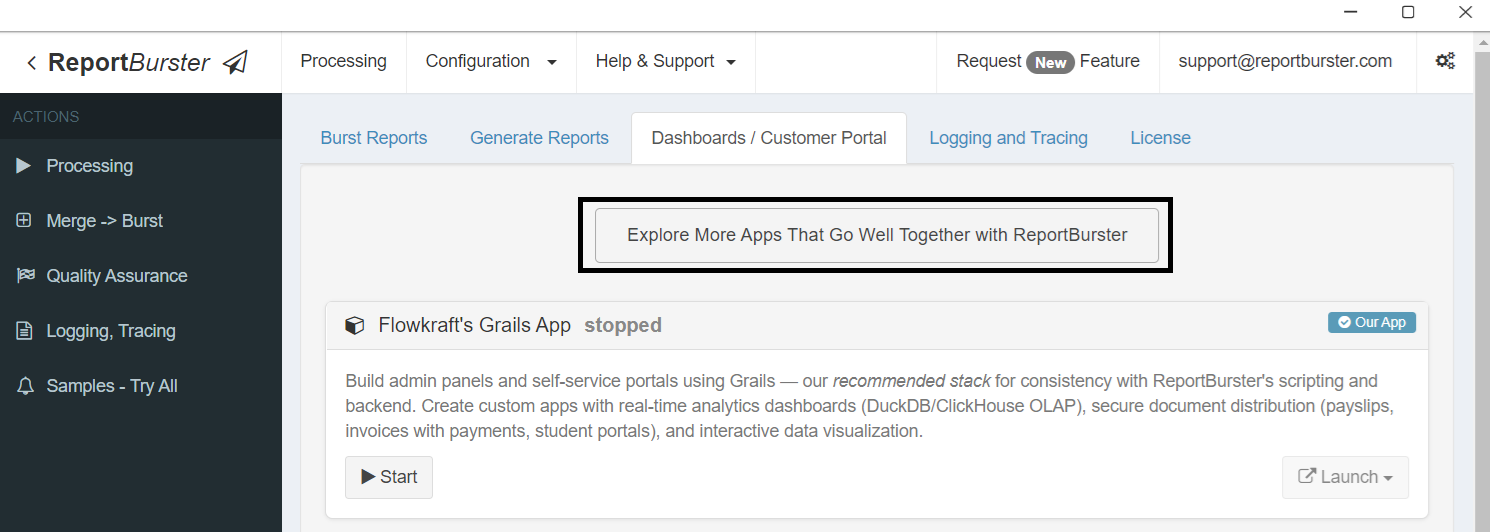
Open the Dashboards / Customer Portal tab in ReportBurster, then find the AI Hub card.
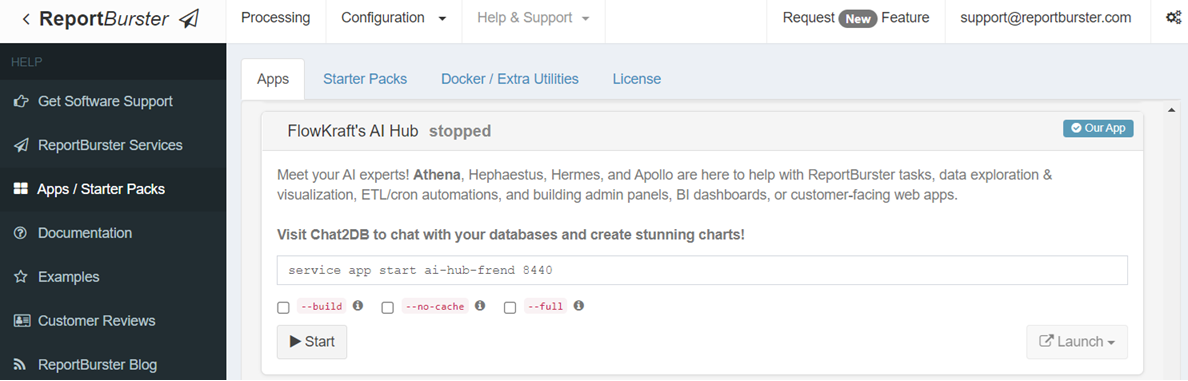
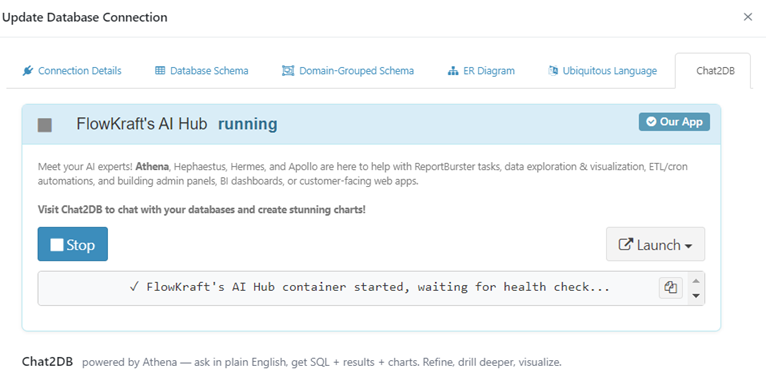
The AI Hub is also accessible from the Chat2DB tab on any database connection.
Provisioning the AI Crew
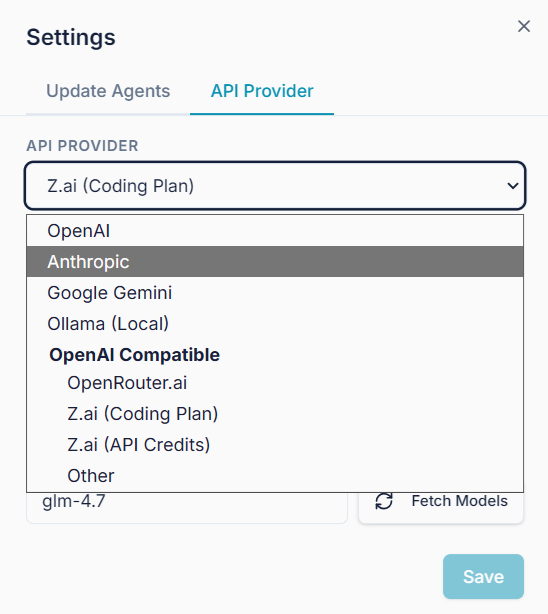
Before you can chat with any agent, you need to provision them. This is a one-time setup — click the Settings gear in the top-right corner to provide your API key.
Why Anthropic? The screenshot below shows Anthropic as the suggested AI vendor — and for good reason. Anthropic's Sonnet and Opus models are the best-in-class option for powering FlowKraft AI Crew assistants.
That said, every Chat2DB session shown in these docs was created using an older-generation open-source model at roughly 20x lower cost — deliberately, to show what's achievable even with a smaller, budget-friendly model. Newer and more capable successors of that model have since been released.
Now imagine what the full AI Crew could do powered by Anthropic's Sonnet or Opus — or better yet, just wire it up and see for yourself.
Switch to the Update Agents tab. Mind the Give db_query tool to Athena checkbox — it is OFF by default, which means no AI agent has any database access. Keep it OFF unless you specifically want Athena to run SQL queries directly against your database connections.
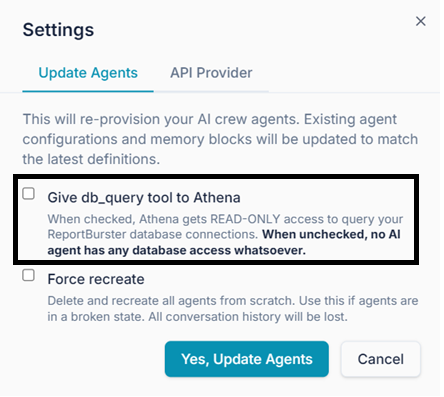
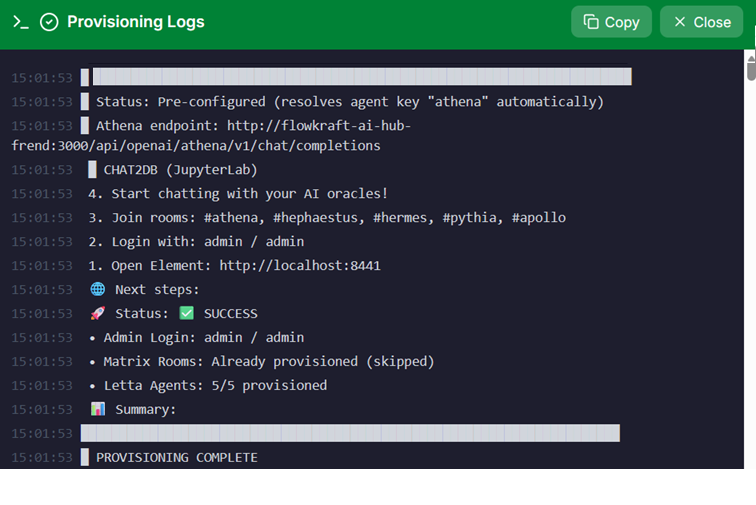
Click Yes, Update Agents and wait a few minutes for provisioning to complete. You will see a live log stream. When it finishes and all five agents show as provisioned, you are ready.
The AI Hub Dashboard
Once provisioned, the AI Hub shows you the full team at a glance.
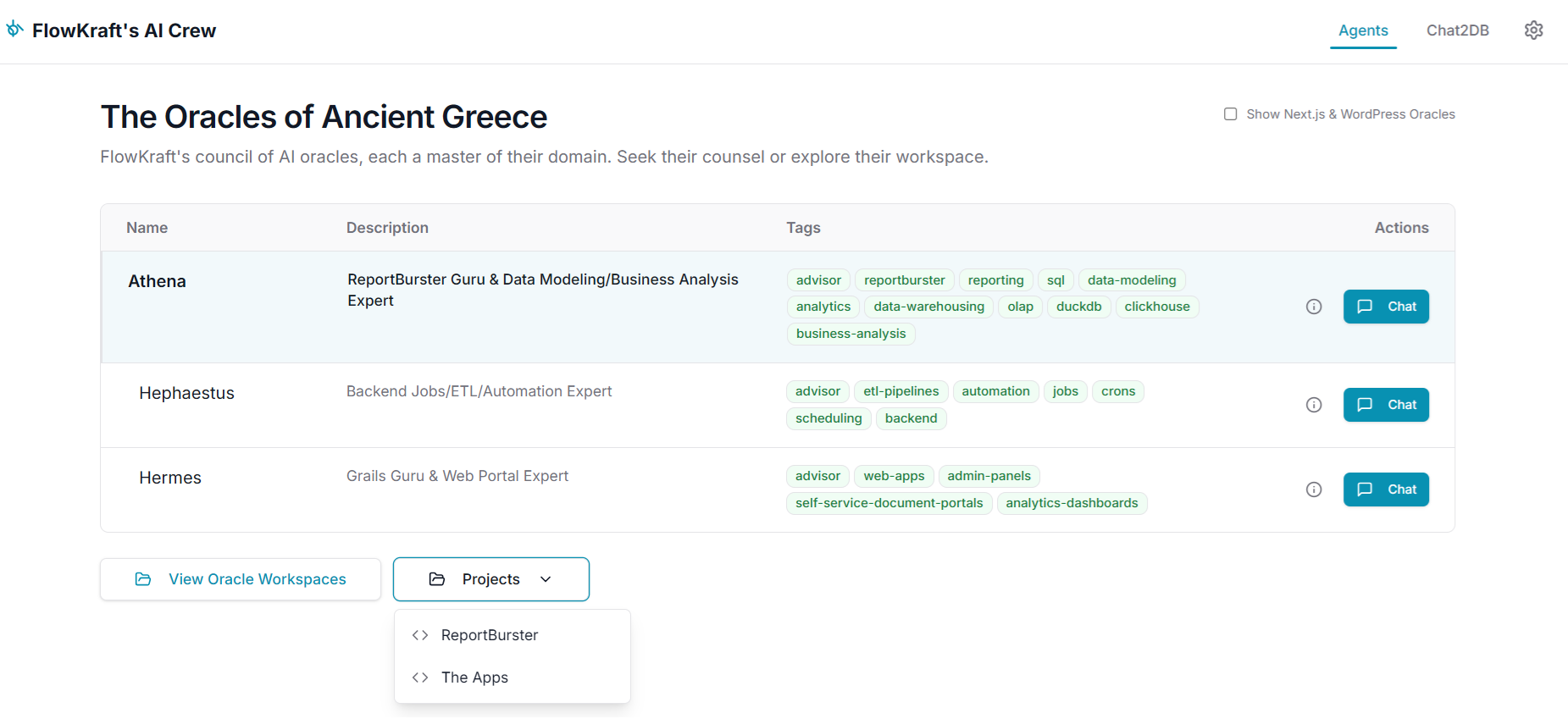
The table lists three agents by default — Athena (ReportBurster Guru & Data Expert), Hephaestus (Backend & Automation), and Hermes (Grails Portals). The Show Next.js & WordPress Oracles checkbox in the top-right of the table toggles visibility of Pythia and Apollo.
Output Artifacts & Workspaces
Every time you work with an agent, they produce artifacts — PRD documents, ER diagrams, flowcharts, HTML mockups, and more. These are saved to the agent's dedicated folder and can be browsed and previewed directly from the View Oracle Workspaces screen.
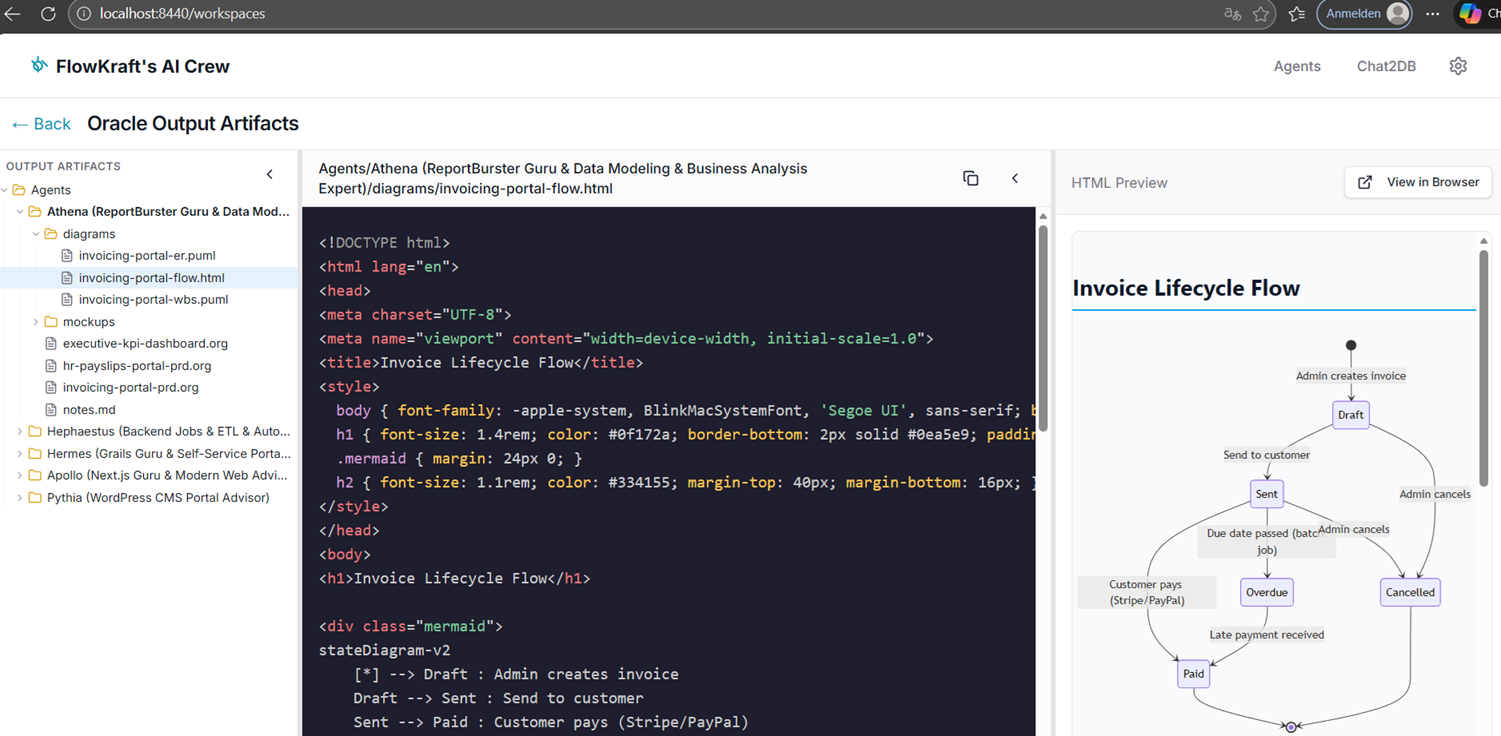
The example above shows Athena's workspace. The left panel is the file explorer with all output artifact folders. The center panel shows the HTML source for an "Invoice Lifecycle Flow" diagram. The right panel is the live rendered preview — a flowchart you can share, screenshot, or hand to a developer.
Pre-Configured VS Code
ReportBurster ships with a pre-configured VS Code (browser-based) that you can launch from the Projects dropdown in the AI Hub. It comes in two flavors — one for the full ReportBurster installation, and one scoped to just the FlowKraft apps.
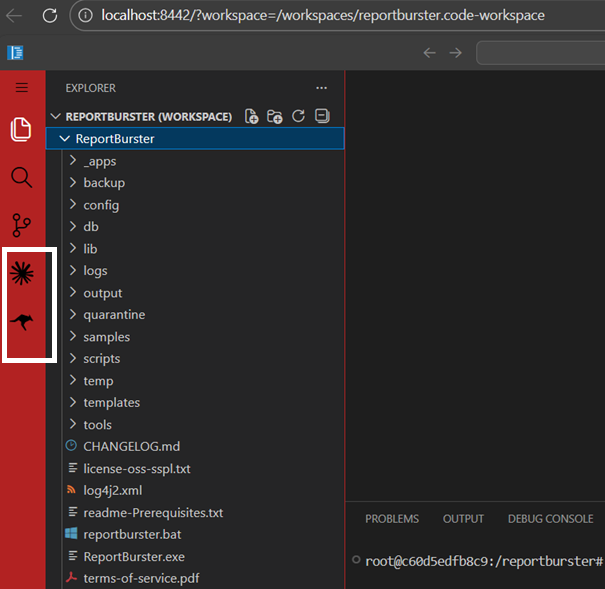
ReportBurster (red sidebar) — opens the entire ReportBurster installation folder. Use this to view and edit configuration files, scripts, templates, output folders, logs, and anything else under your ReportBurster directory. A good way to work with this is to have a chat session with Athena — she has deep knowledge of every important configuration file, script, and template under the ReportBurster folder — ask her questions about any file you are interested in, then switch to this VS Code instance to view or edit it directly.
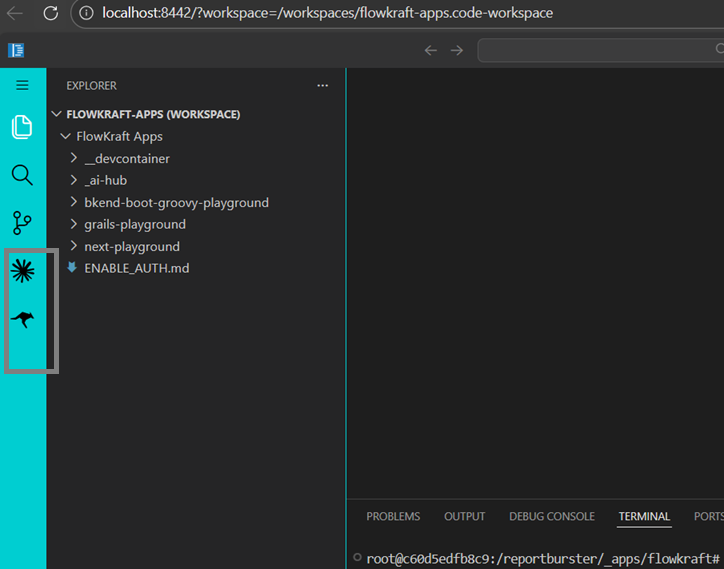
The Apps (teal sidebar) — opens only the _apps/flowkraft directory, which contains the AI Hub, the Grails playground, the Next.js playground, and the backend playground. Use this when you are building a custom portal with Hermes, a Next.js app with Apollo, or ETL scripts with Hephaestus — you see only the app code you are working on, without the noise of the full ReportBurster tree.
Coding agents built in. Both VS Code instances come with two AI coding extensions pre-installed on the left sidebar: Roo Code (supports any AI vendor) and Claude Code (Anthropic's autonomous coding agent). If you want to go beyond pair-development with the AI Crew and have a coding agent generate entire features, portals, or dashboards autonomously — these are ready to use. Hand them a PRD from Athena or a task file from any specialist, and let them build.