Self-Service Web Portal (CMS) Overview
Deploy a secure portal for employees, customers, and partners to access documents and manage accounts with ease.
Table of Contents
What is the Self-Service Web Portal?
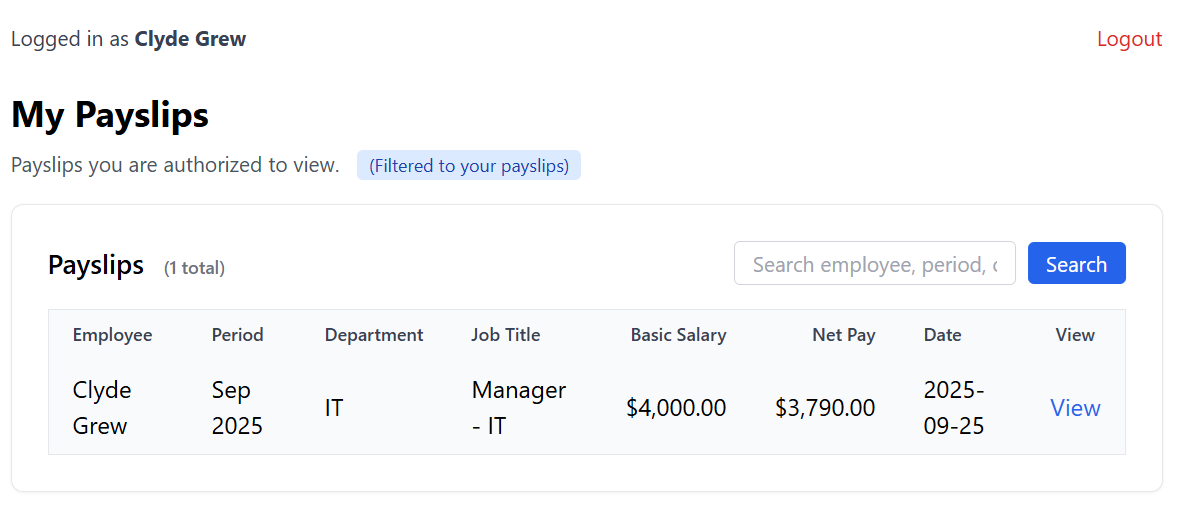
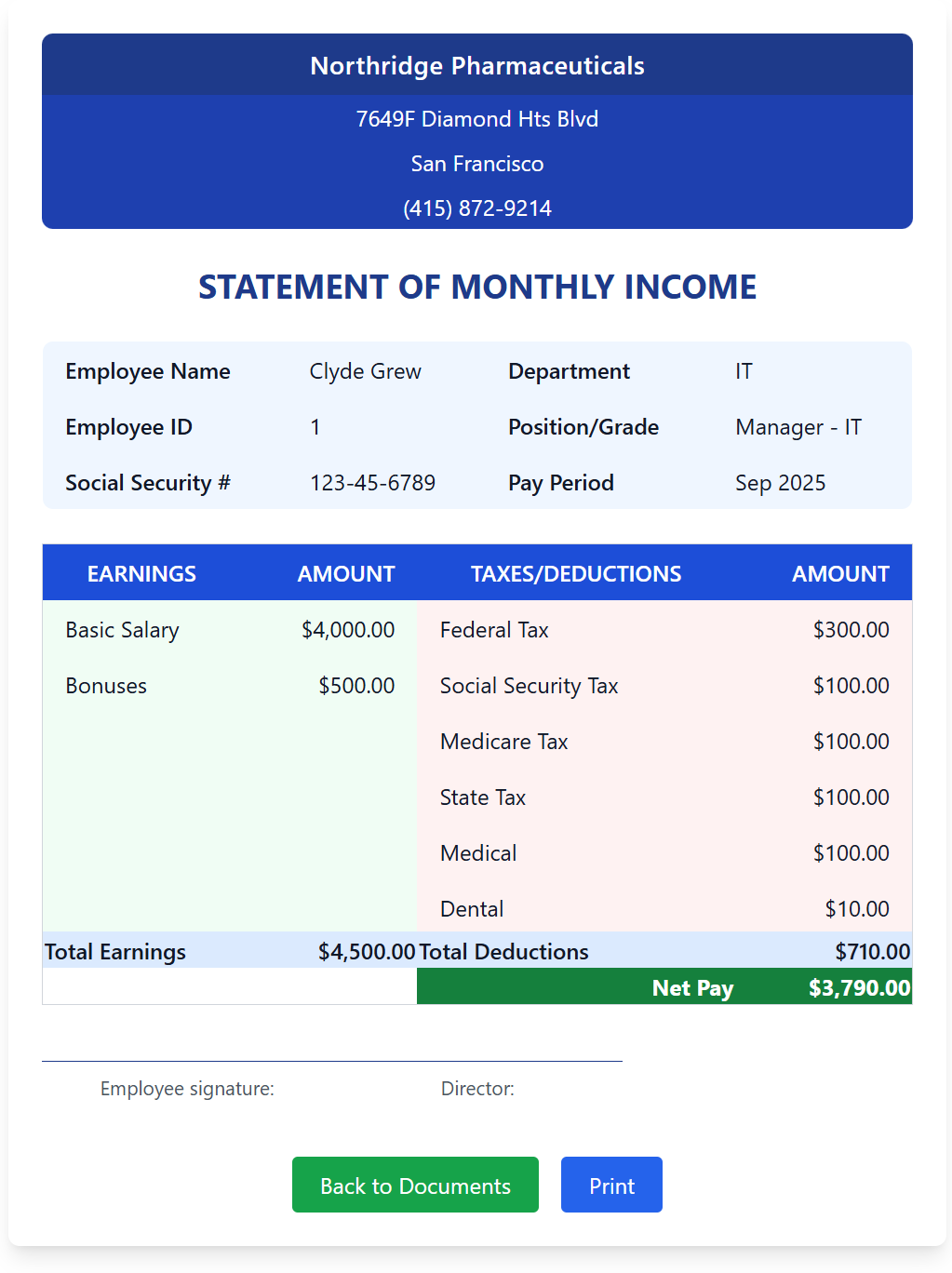
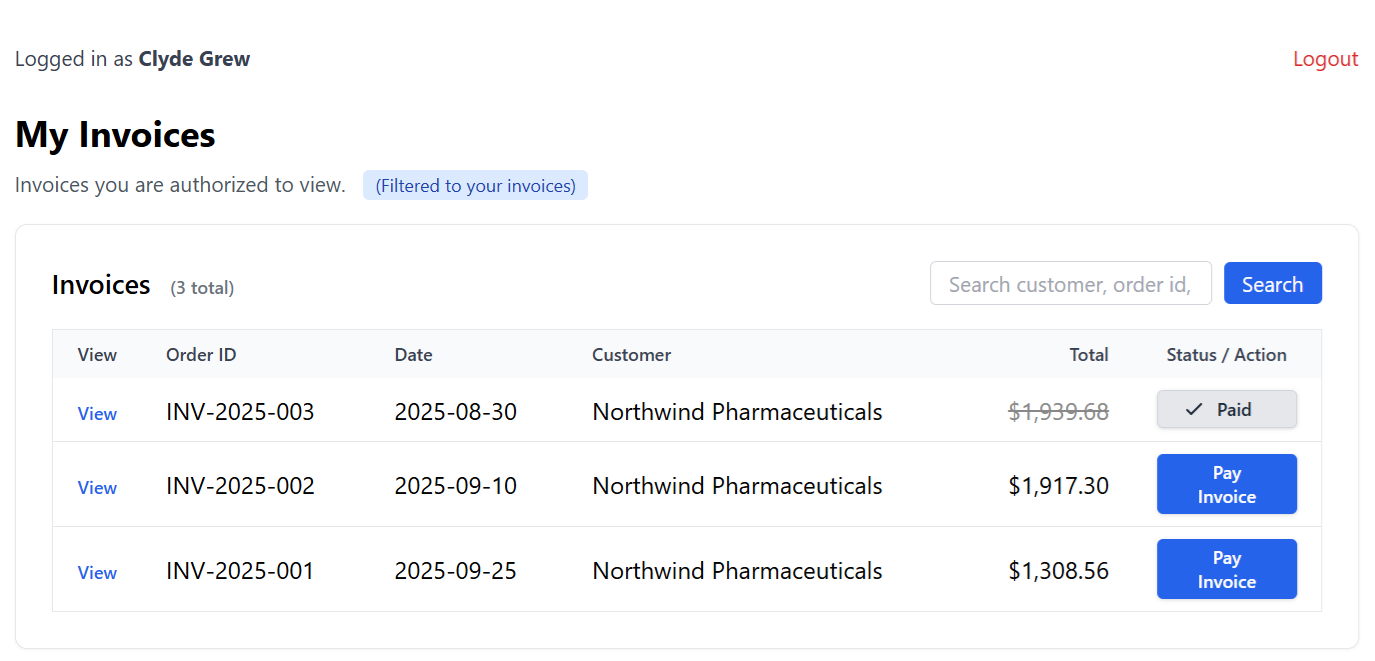
The Self-Service Web Portal is your ready-to-use, fully customizable document management hub. With just a few steps, you can launch a secure portal where users log in to view their private documents (like payslips or invoices), manage their accounts, and even pay bills.
ReportBurster makes it possible to publish documents from any reporting or business software—not just those generated with ReportBurster. Whether your reports come from Crystal Reports, SAP, Oracle, Microsoft Dynamics, or any ERP/CRM system, you can burst, upload, and deliver them securely through the portal.
Our Philosophy
How to build your document portal with a helping hand from AI.
We focus on assembling, like Lego blocks, the essential tools you need to quickly build a custom self-service portal.
Multiple development stacks are supported — pick the one that fits your team. Whether you prefer a traditional server-side framework, a modern React-based stack, or a CMS with a rich plugin ecosystem, the portal delivers the same secure, customizable result.
You’ll need only a few scripts for customization—and you won’t have to write them yourself. ReportBurster provides prompts and processes to integrate with artificial intelligence, so AI generates the code you need from your plain English requests.
This means you achieve a truly custom document portal, with minimal effort and maximum flexibility.
No coding experience required. You might see words like “scripts” or “templates” in the guides that follow — don’t let that put you off. You tell AI what you want in plain English, and it gives you the code plus step-by-step instructions on where to put it. The whole portal involves just a handful of files, not hundreds. And if you do enjoy coding — go ahead, write as much or as little as you like. It’s entirely up to you.
Note: There’s no “magic button” that instantly builds the world’s best portal. You stay in the driver’s seat, using AI as a powerful assistant to help you build exactly what you need. This approach keeps your portal secure, transparent, and tailored to your requirements.
Key Features
- Quick Deployment: Launch your portal in minutes using a preconfigured environment.
- Secure Document Access: Each user sees only their own documents—no accidental leaks.
- Custom Document Types: Easily define payslips, invoices, or any document you need.
- AI-Powered Integration: Automate document publishing and configuration with the help of AI.
- Flexible Access Controls: Restrict documents by user, group, or role—fine-tuned to your needs.
- Automatic User Provisioning: For large distributions, the portal creates user accounts automatically—no manual setup required.
- Payments Ready: Optionally enable bill payments for customers or partners.
- Analytics Glimpse: See who accessed what, and when—helpful for compliance and insight.
How It Works
-
Start the Portal
Deploy your environment—everything is preconfigured for a fast start. -
Define Document Types
Create custom content types (like "Payslip" or "Invoice") and add fields such as employee, period, gross/net amount, etc. -
Configure Templates and Reports for Publishing to Portal
Let AI do the heavy lifting—just describe what you want in plain English, and AI will generate most (if not all) of the code needed for your custom templates and scripts. -
Publish Documents
ReportBurster pushes documents to the portal using simple API calls. Documents appear instantly in each user's account. -
User Experience
Users log in, see a list of their documents, and can view, print, or (optionally) pay invoices—all from a clean, modern interface. -
Admin Insight
Admins can monitor document distribution and get a high-level view of portal activity.
Typical Use Cases
-
Employee Payslips
Employees log in to securely access their monthly payslips—no more email attachments or paper slips. -
Customer Invoices
Customers view and pay their invoices online, with instant access to their billing history. -
Partner Document Sharing
Partners or departments access shared documents, with access tailored by group or role. -
Educational Organizations
Schools, colleges, and universities provide students and staff with secure access to grade reports, certificates, and administrative documents. Each user sees only their own records, streamlining communication and protecting privacy.
The Self-Service Web Portal is designed to make secure document delivery and management so easy, you’ll wonder why you ever did it any other way.
Thinking about building your own custom portal? It’s easier than you might expect — the AI Crew designed and built a complete billing portal from scratch.