Reports Component
Embed complete report viewers with parameters and visualizations using the rb-report web component.
Table of Contents
Overview
The <rb-report> component is the all-in-one report viewer. It combines parameters, data tables, charts, and pivot tables into a single embeddable component. It can also render individual documents like payslips, invoices, or statements.
FlowKraft Apps: The FlowKraft Frontend App has this component pre-configured. Just paste your embed code from the Usage tab—no script setup required. See FlowKraft Frontend App for details.
Basic Usage
<rb-report
  report-code="sales-dashboard"
  api-base-url="http://localhost:9090/api/jobman/reporting">
</rb-report>The component automatically:
- Fetches report configuration from the server
- Renders parameter controls (if configured)
- Fetches data when parameters are submitted
- Renders all configured visualizations
Attributes
| Attribute | Required | Description |
|---|---|---|
report-code | Yes | Report folder name |
api-base-url | Yes | Base URL for API calls |
entity-code | No | Entity ID for single-document rendering |
show-print-button | No | Show print/PDF button |
print-button-label | No | Custom print button label |
Entity Mode
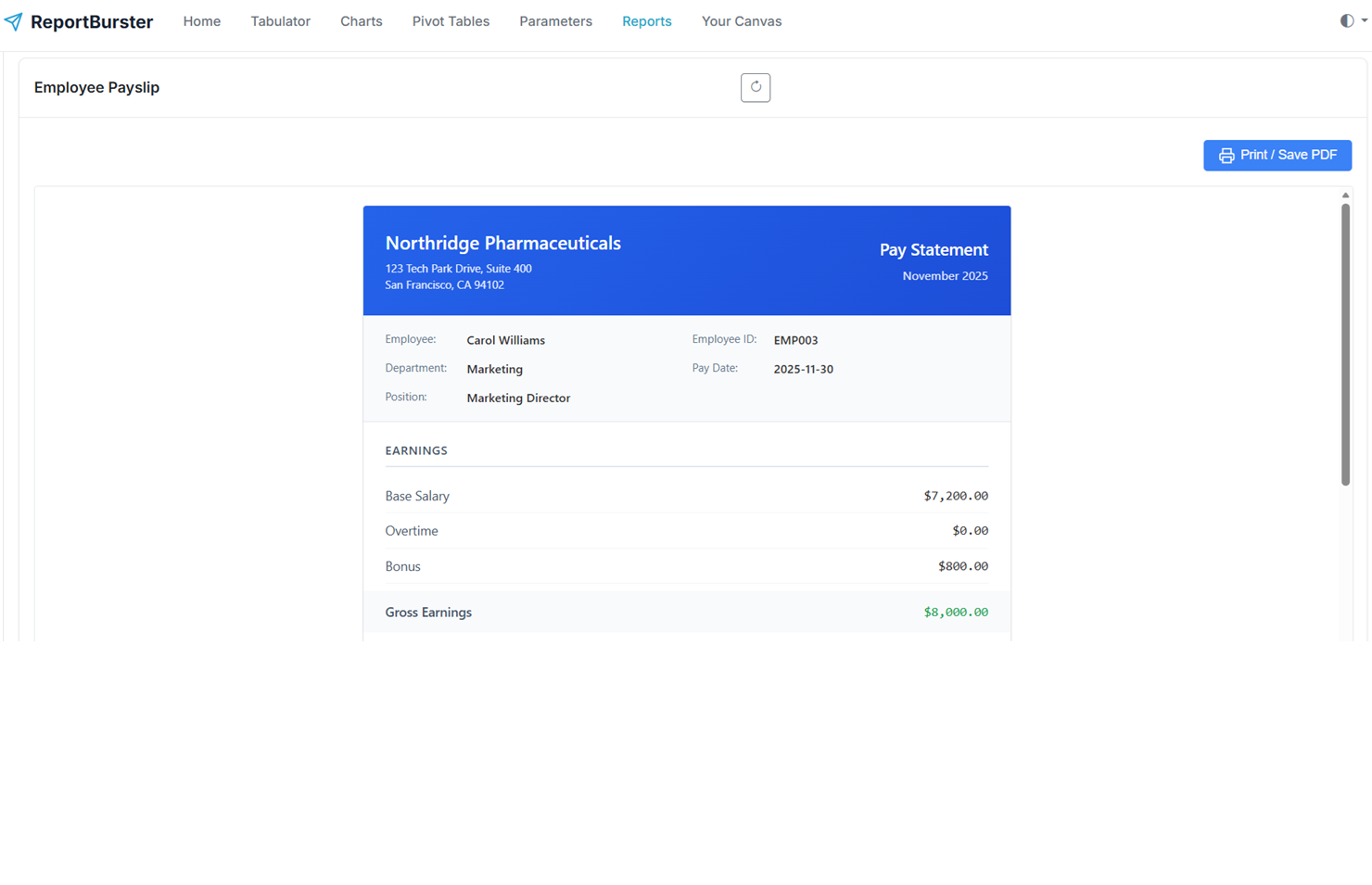
For reports that generate individual documents (like payslips or invoices), use the entity-code attribute:
<rb-report
  report-code="employee-payslip"
  api-base-url="http://localhost:9090/api/jobman/reporting"
  entity-code="EMP001"
  show-print-button>
</rb-report>This renders the payslip for employee EMP001 with a print button.
Dynamic Entity Selection
<select id="employeeSelect" onchange="showPayslip()">
  <option value="EMP001">Carol Williams</option>
  <option value="EMP002">John Smith</option>
</select>

<rb-report
  id="payslipViewer"
  report-code="employee-payslip"
  api-base-url="http://localhost:9090/api/jobman/reporting"
  show-print-button>
</rb-report>

<script>
  function showPayslip() {
    const empId = document.getElementById('employeeSelect').value;
    document.getElementById('payslipViewer').setAttribute('entity-code', empId);
  }
</script>Examples
Dashboard Report
<rb-report
  report-code="sales-dashboard"
  api-base-url="http://localhost:9090/api/jobman/reporting">
</rb-report>Invoice with Print Button
<rb-report
  report-code="order-invoice"
  api-base-url="http://localhost:9090/api/jobman/reporting"
  entity-code="ORD-2025-001"
  show-print-button
  print-button-label="Print Invoice">
</rb-report>Customer Statement
<rb-report
  report-code="customer-statement"
  api-base-url="http://localhost:9090/api/jobman/reporting"
  entity-code="CUST-12345"
  show-print-button>
</rb-report>