ReportBurster vs Metabase — Both Open Source, Built for Different Jobs
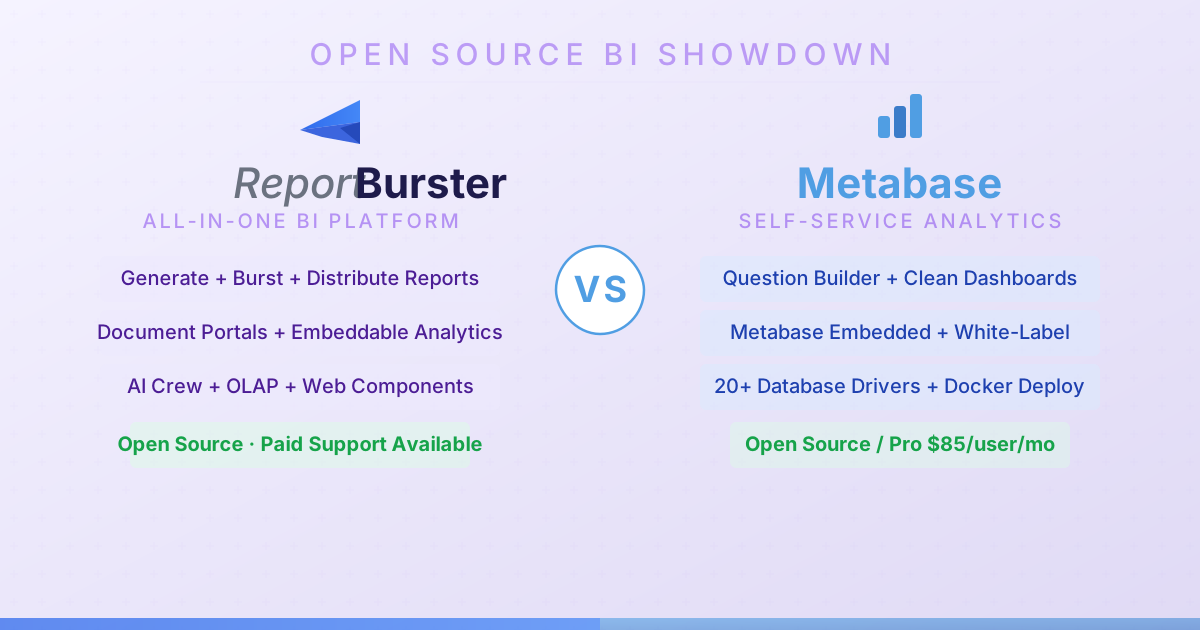
Same Spirit, Different Toolbox
ReportBurster and Metabase share DNA: both are open source, both self-hosted, both built to make data accessible to people who aren't data engineers. The similarity stops at what they do with that data.
With ReportBurster you generate formatted documents (PDF, Excel, HTML, Word), split them per recipient, deliver them automatically at scale, and give end-users a secure portal where they access only their own files. You also embed interactive analytics and dashboards into your own apps, sync data into a warehouse for fast queries, and get AI-powered help across the entire workflow — all in a single, open-source package.
Metabase is the fastest way to get a dashboard running. Install a JAR file or pull a Docker image, point it at your database, and non-technical users are building charts within minutes. It's simple by design — and that simplicity is its greatest strength.
How They Compare
| Capability | ReportBurster | Metabase |
|---|---|---|
| Data Exploration | ||
| SQL Database Connectivity | ★★★★★ Broad JDBC connectivity | ★★★★★ PostgreSQL, MySQL, SQL Server, BigQuery, Redshift, Snowflake, and more |
| NoSQL Databases | ★★☆☆☆ Redis for now, more will come (if community asks) | ★★★☆☆ MongoDB driver |
| CSV / Excel Files | ★★★★★ | ★★★☆☆ CSV upload to database |
| Natural Language Queries | ★★★★☆ Built-in Chat2DB for conversational data exploration | ★★★☆☆ Question builder for non-technical users; no true NL-to-SQL |
| Database Management & Editing | ★★★★☆ Via CloudBeaver and built-in Chat2DB web app | ★★☆☆☆ Read-only query interface — no database management |
| Report Generation | ||
| PDF Report Generation | ★★★★★ | ★★☆☆☆ Export dashboards to PDF — not paginated report generation |
| Excel Report Generation | ★★★★★ | ★★★☆☆ Export questions/dashboards to Excel/CSV |
| HTML / Word Report Generation | ★★★★★ HTML and Word documents | ★☆☆☆☆ |
| Template / Report Designer | ★★★★☆ AI-assisted templating | ★★☆☆☆ Dashboard layout builder, not a report template designer |
| Parameterized Reports | ★★★★★ Full parameter support with variables and templating | ★★★☆☆ Dashboard filters and parameters |
| Data Source Variety | ★★★★★ SQL, Excel, CSV, XML data sources | ★★★★☆ 20+ database drivers |
| AI-Assisted Report Building | ★★★★☆ AI crew (Athena) for report generation using LLMs | ★☆☆☆☆ |
| Report Distribution & Automation | ||
| PDF Bursting / Splitting | ★★★★★ Industry-leading split and distribute by any key(s), one or two levels | — |
| Report Archiving | ★★★★★ Flexible archiving with dynamic folder structures and variables | — |
| Email Distribution | ★★★★★ | ★★★☆☆ Subscriptions (formerly Pulses) — scheduled email delivery of dashboards |
| FTP / SFTP Upload | ★★★★★ | — |
| Cloud Storage (S3/Azure/GCS) | ★★★★☆ | ★☆☆☆☆ Slack integration only |
| Web Upload | ★★★★★ HTTP/WebDAV and REST APIs (SharePoint, WordPress, Drupal, any CMS) | — |
| Scheduling / Automation | ★★★★★ | ★★★☆☆ Scheduled subscriptions |
| Delivery Quality Assurance | ★★★★★ Built-in QA guarantees delivery accuracy | — |
| Document Portal | ||
| Self-Service Document Portal | ★★★★★ Purpose-built portals for HR payslips, customer invoices, billing with online payments | N/A Dashboard sharing platform, not personalized document delivery |
| User Management & Access Control | ★★★★☆ Per-user accounts — each user sees only their own documents | N/A Collection-based permissions for dashboards, not per-user document isolation |
| Notifications & Alerts | ★★★★☆ Notify users when new documents are available | N/A Alerts on metric thresholds, not document notifications |
| Portal Customization / Dev Stacks | ★★★★★ Grails or Next.js 15/React/Tailwind stacks | — |
| Embeddable Analytics & OLAP | ||
| Interactive Dashboards | ★★★★☆ KPI dashboards for sales, finance, monitoring | ★★★★☆ Clean, intuitive dashboard builder — great for non-technical users |
| Embeddable Web Components | ★★★★★ Data-driven web components: rb-tabulator, rb-chart, rb-pivot-table | ★★★★☆ Metabase Embedded — iframe and SDK embedding with white-labeling (Pro/Enterprise) |
| Chart Type Variety | ★★★★★ | ★★★★☆ |
| Pivot Tables / OLAP Views | ★★★★☆ | ★★★☆☆ |
| Interactive Data Tables | ★★★★★ rb-tabulator with 50+ configuration examples | ★★★★☆ |
| Data Warehouse / OLAP Engine | ★★★★☆ OLTP-to-OLAP sync via CDC — DuckDB (up to 100M rows), ClickHouse (billion-row analytics), dbt | ★★☆☆☆ Models feature for derived tables, but not a data warehouse |
| Real-Time / Performance | ★★★★☆ Redis support for caching and real-time streaming | ★★☆☆☆ Caching with configurable refresh |
| AI Capabilities | ||
| AI Data Analysis | ★★★★☆ Chat2DB: Chat2SQL, tabular data, diagrams, charts | ★☆☆☆☆ |
| LLM Integration (GPT/Claude/Gemini) | ★★★★★ Claude, GPT, Gemini or any other AI vendor | ★☆☆☆☆ |
| AI Domain Experts / Agents | ★★★★★ Athena (data), Hephaestus (automation), Hermes (portals), Apollo (web) | — |
| Deployment & Hosting | ||
| Self-Hosted / On-Premise | ★★★★★ | ★★★★★ Single JAR file — easiest BI tool to self-host |
| Cloud / SaaS | — | ★★★★☆ Metabase Cloud |
| Docker / Container Support | ★★★★☆ | ★★★★★ Official Docker image, one-command setup |
| OS Support | ✅ Windows ✅ Linux ✅ macOS | ✅ Any OS with JVM (Java-based) |
| Integration & APIs | ||
| REST API | ★★★★☆ | ★★★★☆ Comprehensive REST API |
| CLI / Scripting | ★★★★★ | ★★☆☆☆ |
| Extensibility / Plugins | ★★★★★ Groovy/Java scripting and 'Works Well With' integrated apps (CloudBeaver, Rundeck, DocuSeal, etc.) | ★★★☆☆ Database driver plugins, custom themes (Pro) |
| Documentation & Community | ||
| Documentation Quality | ★★★★☆ Comprehensive docs site with interactive examples | ★★★★☆ Well-organized docs with tutorials and guides |
| Community Size | ★★☆☆☆ New project — growing open-source community (smaller than legacy tools) | ★★★★☆ 40k+ GitHub stars, active Discourse forum, strong open-source community |
| Pricing & Licensing | ||
| Free Tier Available | ★★★★★ Fully functional open-source edition | ★★★★★ Fully functional open-source edition |
| Open Source | ★★★★★ GitHub — open source | ★★★★★ AGPL license |
| Pricing Model | Free open source, 🔶 fully functional, no limitations 🔶 — just no professional support) Or, if you need ✅ professional support ✅ License $595–$2,595 (1–10 users) Maintenance $199–$699/yr (1–10 users) | Open source (free) Pro: $85/user/month (10 user min) Enterprise: custom pricing |
What ReportBurster Does That Metabase Doesn't
Actual Report Generation
ReportBurster generates template-driven documents across PDF, Excel, HTML, and Word — the output that business operations actually depend on. Need a formatted PDF invoice with your company logo, a parameterized Excel workbook per sales region, or an HTML summary that goes out to 500 managers every Monday? That's what ReportBurster was built for. Metabase exports dashboard screenshots and CSV data — it doesn't produce formatted business documents.
Report Bursting — Beyond Dashboard Subscriptions
Take one master report, split it into individual documents by any key (department, customer, region), and deliver each piece via email, FTP/SFTP, cloud storage, or a self-service portal — automatically, on schedule, with built-in quality assurance. Metabase can email dashboard snapshots via subscriptions, but splitting documents per recipient with routing and QA is outside its scope.
Self-Service Document Portals
ReportBurster's Document Portal gives each user a secure login to access only their own documents — payslips for employees, invoices for customers, statements for partners — with notifications and online payment support. Metabase shares dashboards across collections. Per-user document isolation and personalized document delivery are outside its scope.
AI Agents That Know the Platform
ReportBurster's AI crew — Athena for data and reporting, Hephaestus for automation, Hermes for portals, Apollo for web — are specialized agents powered by Claude, GPT, or Gemini that help you build reports, configure distribution, and write integrations. Built-in Chat2DB adds conversational data exploration. Metabase has basic x-ray features for automatic insights, but no LLM integration or AI assistance.
Data Warehouse & OLAP
ReportBurster provides OLTP-to-OLAP sync via CDC with DuckDB (up to 100M rows) and ClickHouse (billion-row analytics), plus Redis for real-time caching. Metabase has a "Models" feature for derived tables, but it's a query layer — not a data warehouse.
What Metabase Does Better
The Five-Minute Setup
No other BI tool is this easy to deploy. Download a JAR, run java -jar metabase.jar, open your browser. Done. Docker? docker run -p 3000:3000 metabase/metabase. You're looking at a working BI tool before your coffee gets cold. For teams that need analytics yesterday and don't want to read a manual, Metabase's setup experience is unbeatable.
The Question Builder
Metabase's visual question builder lets non-technical users explore data without writing SQL. Pick a table, choose columns, add filters, select a visualization — it's genuinely intuitive. Marketing managers, salespeople, and executives can answer their own questions without filing a ticket. The learning curve is almost flat.
Clean, Opinionated Design
Metabase looks good out of the box. The dashboard builder produces attractive charts with smart defaults — colors, axes, and labels that make sense without manual tweaking. The UI is polished and consistent. For organizations where visual appeal and ease of use matter more than power, Metabase delivers.
Metabase Embedded
For SaaS companies that need to embed analytics inside their product, Metabase Embedded (Pro/Enterprise) offers iframe and SDK integration with white-labeling, SSO, and row-level permissions. It's a mature embedding story for companies building customer-facing analytics.
The Community
40,000+ GitHub stars. An active Discourse forum. A growing ecosystem of community drivers, themes, and integrations. Metabase has one of the largest open-source BI communities — which means more answered questions, more examples, and more battle-tested configurations.
The Verdict
ReportBurster is the right tool when you need everything from report generation through distribution and beyond — report generation, automated bursting and distribution, self-service document portals, embeddable analytics (data tables, charts, pivot tables), interactive dashboards, OLAP, and AI — in a single open-source platform without per-seat subscription costs.
Metabase is the right tool when you need simple, beautiful dashboards up and running in minutes, your users are non-technical, and you don't need document generation, bursting, or portals.
Both are open source. Both are self-hosted. They solve different problems — and many teams run both.