Use Claude Opus to Generate Invoices from PostgreSQL: Stop Copying Data Into Word

Virgil
Every Monday morning, Sarah exports 127 orders from her PostgreSQL database. She then spends the next 4 hours copying data into Word templates—calculating totals, applying discounts, creating PDFs. One calculation error in the morning cascades into ten mistakes by noon. Today's walkthrough shows you how to transform those 4 exhausting hours into just 4 minutes.
We've previously covered how ReportBurster works with Oracle databases and SQL Server databases. Today we're focusing on PostgreSQL, with Claude Opus as our AI assistant.
You'll see exactly how to generate professional invoices with proper master-detail structure—order headers, line items, automatic discount calculations—all directly from your PostgreSQL database. The best part? Claude Opus writes all the complex business logic while you simply describe what you need in plain English.
Why Claude Opus? We're using Claude Opus to demonstrate ReportBurster's flexibility with AI models. But here's the thing—the free ChatGPT options that come bundled with ReportBurster achieve identical results. You can choose any AI model based on your preference and budget, as ReportBurster works seamlessly with all major providers.
Code Without Coding Throughout this guide, you'll encounter JSON schemas, Groovy scripts, SQL queries, and HTML templates. Don't worry—you won't write any of it. The AI generates everything based on your plain English business requirements. While traditional no-code tools often hit walls (too rigid, won't scale), and coding tools demand expertise, ReportBurster bridges both worlds: AI writes production-ready code from your simple business descriptions.
5-Minute Setup Our screenshots guide you through every step. You'll have ReportBurster installed and running on your computer within minutes. Follow our quickstart guide here.
The Current Reality
Let's be honest about what businesses face daily:
- 100+ invoices equals a full day of manual work
- Manual calculations lead to errors in totals, discounts, and taxes
- Copy-paste formatting means every invoice looks slightly different
- No tracking leaves you wondering who received what and when
- Growth penalty where more customers means exponentially more work
ReportBurster changes this by automating the entire pipeline: database → professional documents → distribution. Everything connected, everything automatic.
Starting the PostgreSQL Sample Database
ReportBurster comes with the Northwind PostgreSQL database—a complete business database containing customers, orders, products, and order details. It's real data with real complexity, perfect for demonstrating invoice generation.
To get started, navigate to Help & Support → Starter Packs / Extra Utils.
Note: Docker must be installed and running to use the sample databases. You'll find installation instructions under the Docker / Extra Utilities tab.
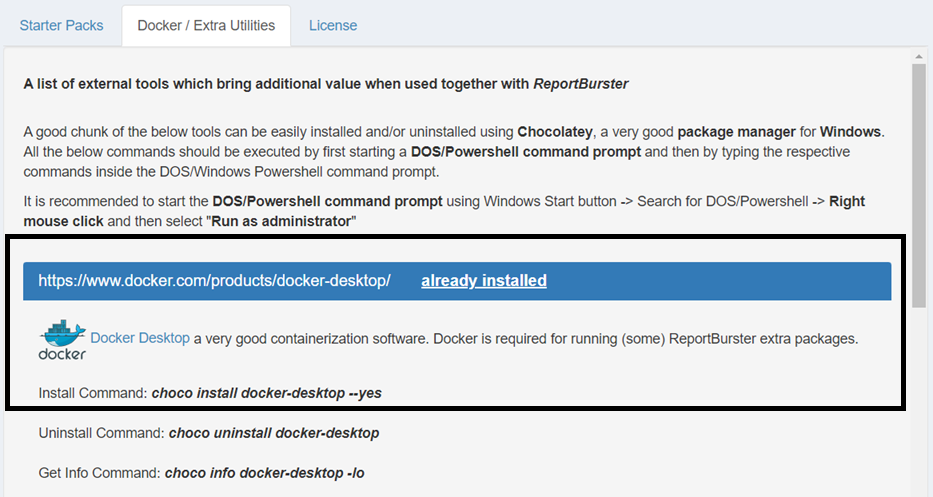
Once Docker is running, stop ReportBurster.exe, then right-click and select Run as Administrator.

ReportBurster needs administrator rights to manage the Docker containers.
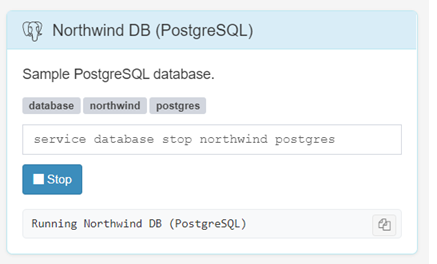
Now return to Help & Support → Starter Packs / Extra Utils and launch the PostgreSQL sample.
Configuring the Database Connection
With PostgreSQL running, it's time to configure the connection parameters.
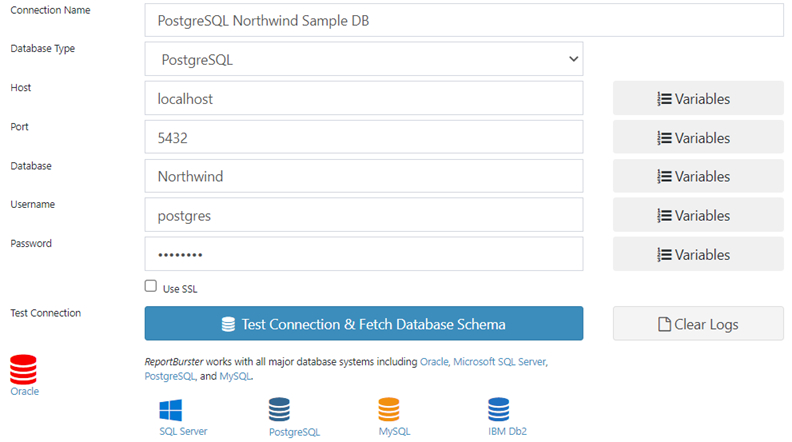
Click Test Database Connection & Fetch Schema. ReportBurster will validate your connection and retrieve the complete database schema in seconds.
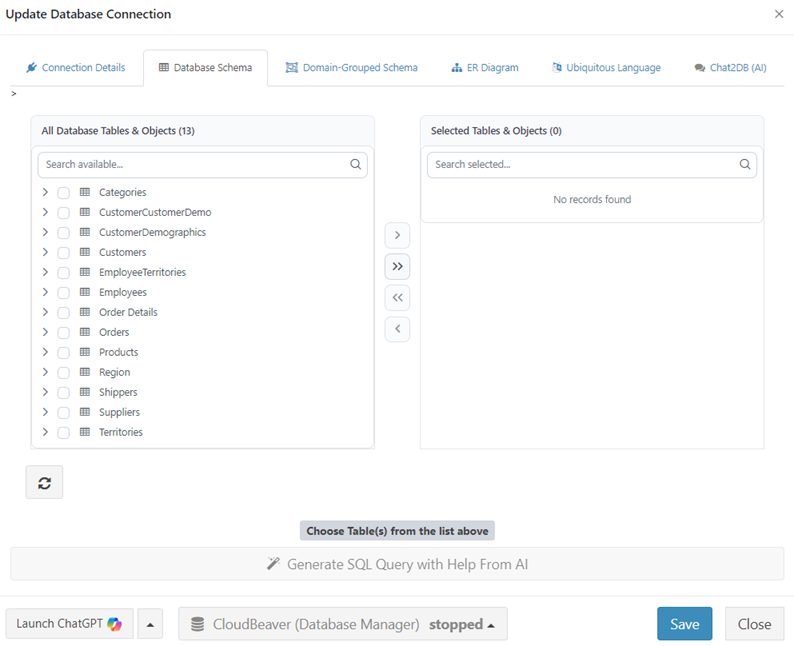
Now you can see the complete database schema at a glance. The invoice-related tables jump out immediately:
- Orders: Contains customer references, dates, and shipping details
- Order_Details: Has all the line items with quantities and discounts
- Customers: Stores complete billing information
- Products: Includes product descriptions and pricing
But here's where it gets interesting. AI can organize this schema by business domains—incredibly useful when dealing with real-world databases. Think about it: CRMs often have 200+ tables, ERPs can have 500+, and billing systems come with intricate relationships that make navigation challenging.
Organizing the Schema with Claude Opus
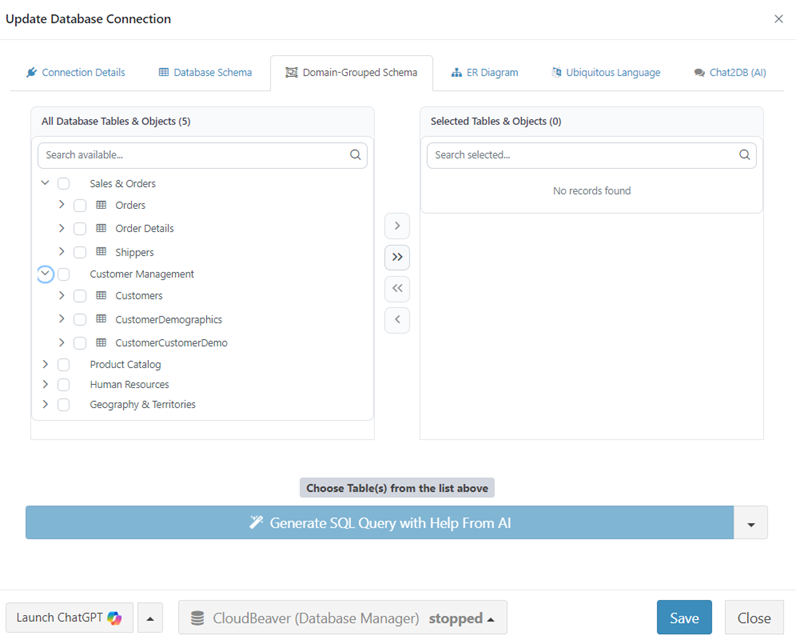
Let's transform this raw schema into a Domain‑Grouped Schema, where tables are organized by business function. Claude will automatically recognize that Orders and Order_Details belong together in the Sales domain.
At a high level, we ask Claude to "Please create a Domain‑Grouped Schema"—obviously this isn't the exact prompt, but that's the core idea. ReportBurster helps you craft the complete prompt with all the necessary context.
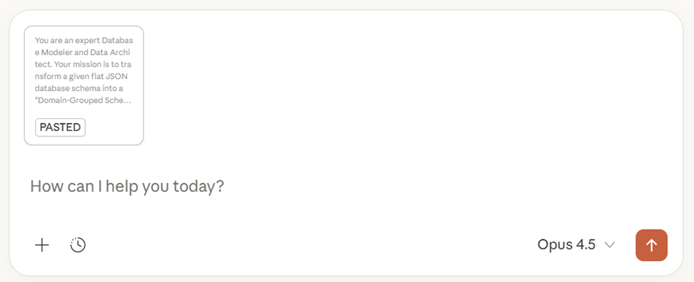
Claude analyzes the relationships and returns a clean JSON representation. For large databases, this might take a couple of minutes. For smaller ones like Northwind, it's nearly instant.
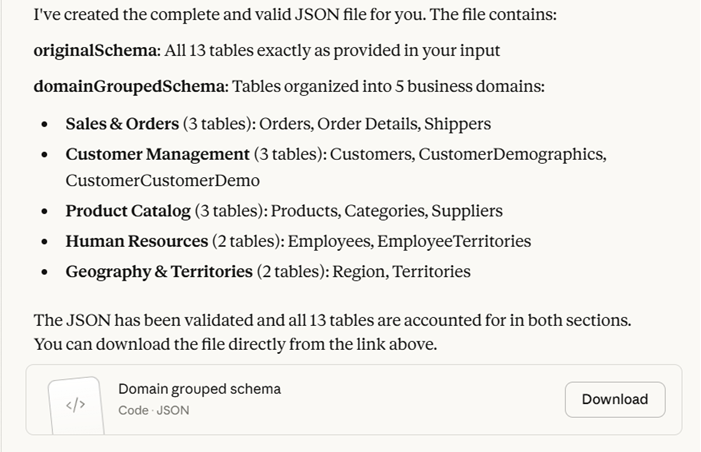
Copy the JSON response back to ReportBurster.
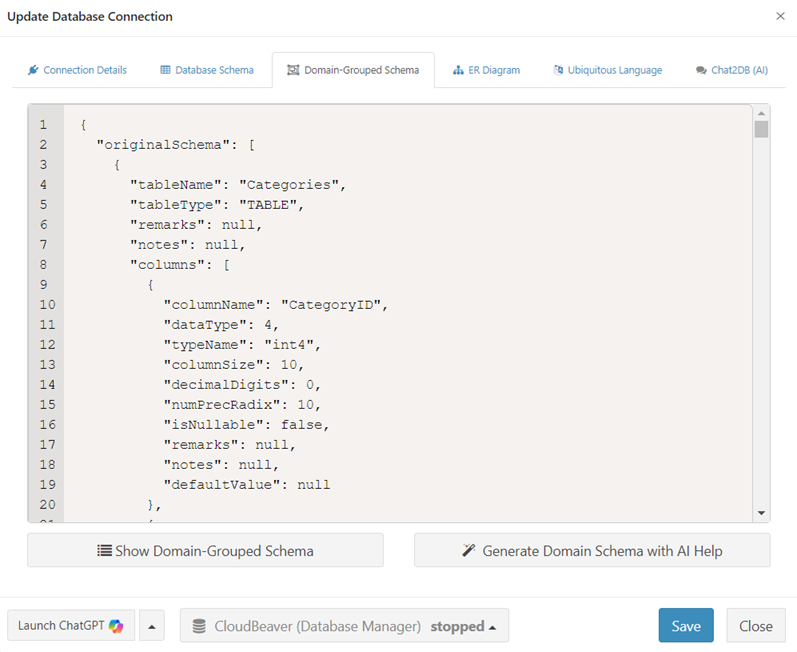
Perfect! The Sales domain now contains all our invoice-related tables. Navigation becomes intuitive, and the relationships between tables are crystal clear.
Building the Invoice Master-Detail Report with Scripts
Time to create our invoice report. Create a new report called Customer Invoices and select Report Generation.
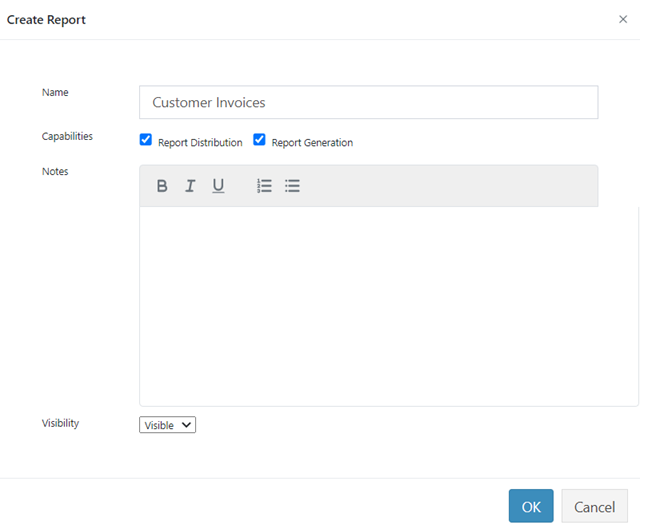
Here's the key decision: select Script as your Input Type. Why scripts instead of simple SQL? Because invoices require sophisticated logic:
- Joining 4 tables (Orders + Order_Details + Customers + Products)
- Calculating line totals with discount percentages
- Computing subtotals, applying tax, adding shipping
- Formatting currency values properly
- Grouping line items by order
Click Hey AI, Help Me With This Groovy Script and watch Claude work its magic.
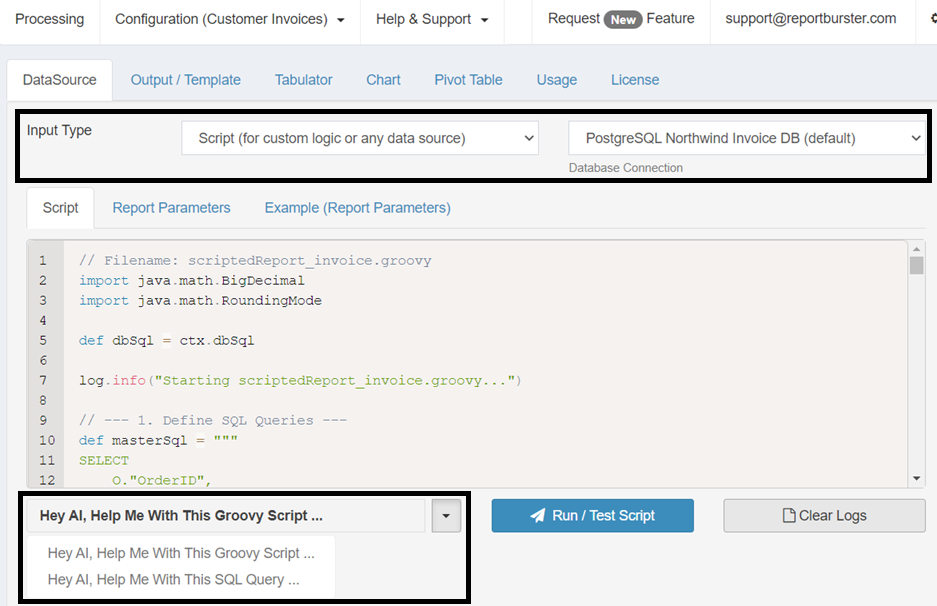
The generated script elegantly handles the master-detail relationships with all calculations built in. Test it using Run / Test Script to see your data flow through. If you need adjustments, just chat with Claude—though in most cases, it works perfectly on the first try.
Designing the Professional Invoice Template
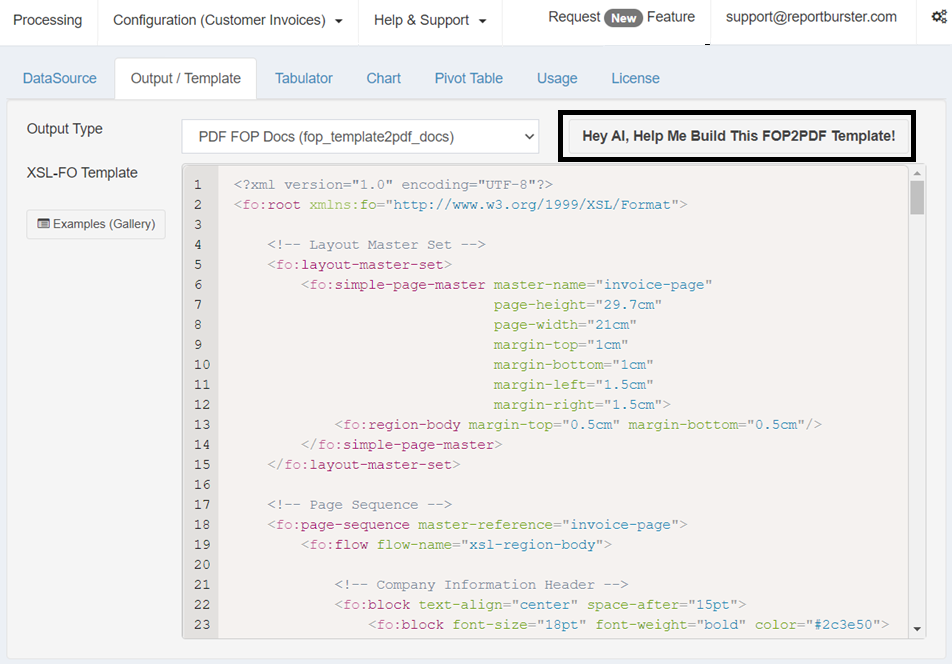
With our data ready, we need a professional template. Click Output Template and select PDF as your format.
Once again, Claude handles the heavy lifting by writing all the template code. You can refine the design through a simple back-and-forth chat until it matches your vision perfectly. It's your design requirements, brought to life by AI's implementation.
Configuring Output Filenames
We're almost there! Let's configure meaningful filenames for our invoices.
Navigate to the General tab and set the Burst File Name to ${OrderID}-${CompanyName}.pdf:
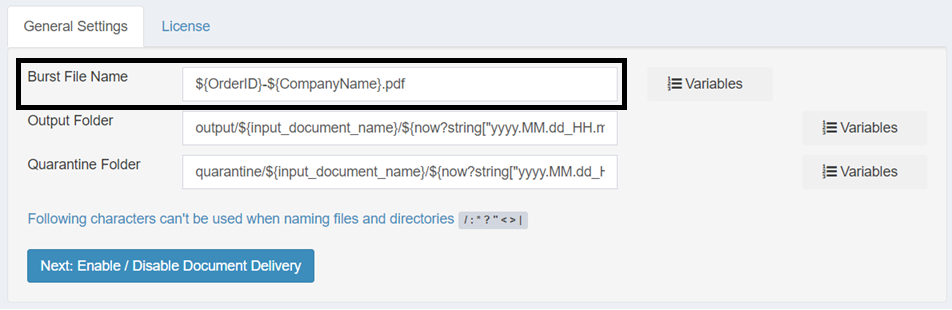
This gives you descriptive filenames like 4-Alfreds Futterkiste.pdf instead of generic 4.pdf. Much easier to find and manage later.
Running Invoice Generation
Everything's in place—database connected, script tested, template polished. Time for the moment of truth.
Navigate to Processing → Generate Reports and watch the magic happen.
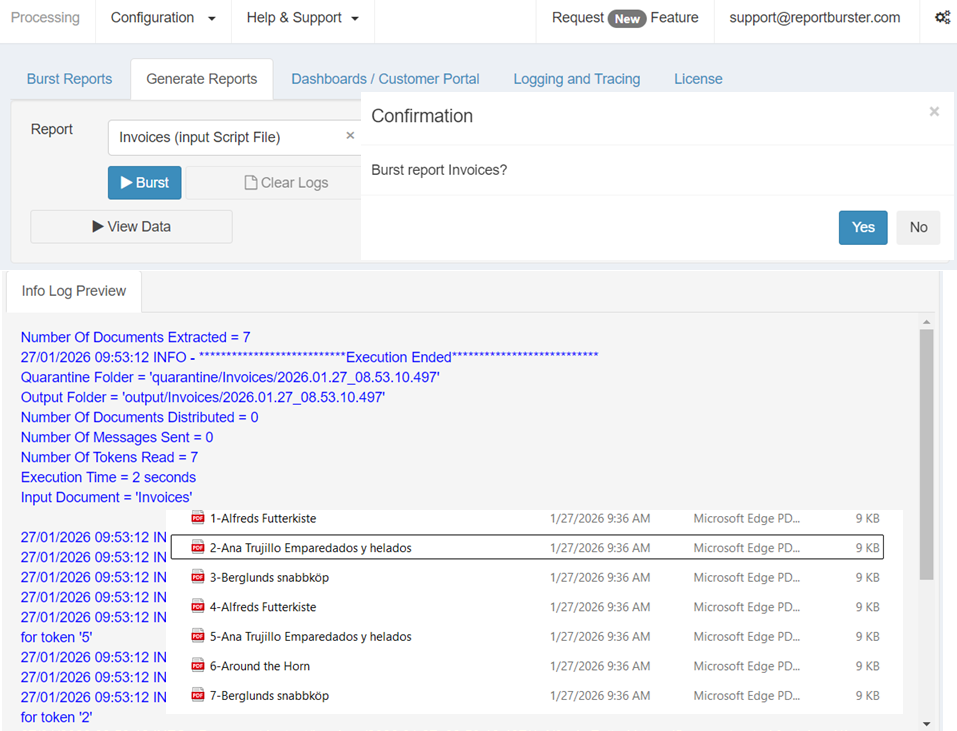
ReportBurster generates a separate invoice for each order, all properly named and ready for distribution.
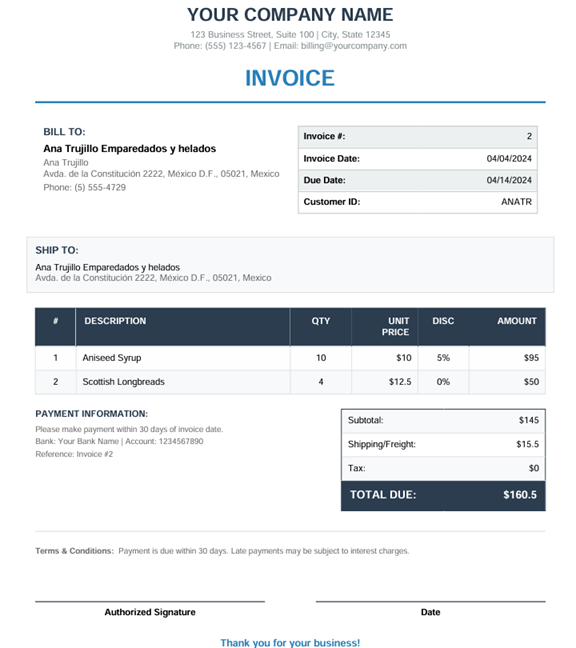
Each generated invoice includes:
- Invoice number, date, and customer ID
- Complete billing address
- Line items showing quantities, prices, and discount percentages
- Automatic calculations for subtotals, tax, and shipping
- Grand total prominently displayed
- Payment terms clearly stated
Why Scripts Beat Simple SQL (for this use case)
Using the Script datasource type unlocks capabilities that simple SQL queries can't touch:
- Multi-table joins: Seamlessly connecting 4 tables while maintaining proper relationships
- Business rules: Applying discount calculations and tax computations right in the data layer
- Data formatting: Currency, percentages, and dates all formatted correctly
- Hierarchical structure: Creating true master-detail documents with nested line items
- Dynamic totals: Computing totals at multiple levels automatically
This is how you handle real-world business complexity—not by working around limitations, but by having the right tools from the start.
Distribution Options
Your invoices are generated. Now let's get them to your customers.
ReportBurster offers multiple distribution channels:
- Email: Automatically send each invoice to the correct customer email address
- Web Portal: Let customers log in to view and pay their invoices online
- Cloud Storage: Upload to SharePoint, Google Drive, or S3 for secure access
- FTP/SFTP: Integrate with partner systems seamlessly
- Print Queue: Send to network printers for traditional mail delivery
The beauty is you configure this once, and then the entire flow—from database to customer inbox—runs automatically.
Measured Results
Let's revisit Sarah's Monday morning:
- Before: 127 invoices × 2 minutes each = 254 minutes of manual work
- After: 1 click → 4 minutes → all 127 invoices complete
But the transformation goes deeper:
- Zero calculation errors (no more embarrassing discount mistakes)
- Identical professional formatting (every invoice looks perfect)
- Linear scalability (1,000 invoices still take just 4 minutes)
- Complete audit trail (know exactly what was sent when)
- Same-day delivery (faster invoicing means faster payments)
Return on Investment
Yes, there's an initial setup investment—a few hours to learn ReportBurster and configure your reports. But the returns compound quickly:
- Labor costs drop immediately
- Error-related rework disappears
- Workflows run themselves
- Cash flow accelerates as invoices go out faster
The time you invest today saves months of work annually. For Sarah's company, that's 200+ hours per year returned to productive work.
Clean Up
When you're done testing, remember to stop the PostgreSQL sample database through the Starter Packs interface to free up system resources.
Your Data, Any Source
While we've demonstrated with PostgreSQL and the Northwind database, ReportBurster works identically with your existing data sources:
- Oracle, SQL Server, IBM DB2, MySQL—any database you're using
- CSV files and Excel spreadsheets for simpler data
- Any JDBC-compatible database (which is virtually everything)
And you're not limited to invoices. Generate anything your business needs:
- Invoices with complex pricing rules
- Purchase orders with multi-level approvals
- Statements showing running balances
- Packing slips with shipping details
- Any master-detail business document
The complete automation pipeline—from database through calculations and formatting to distribution—works as one seamless flow.
Your business transformation can be measured in minutes, not hours. Sarah already made the switch.
Ready to stop the manual copying? Download ReportBurster and start automating your document generation today.
Like what you see but too busy to set it up yourself? We'll do it for you — just tell us what you need.
From simple setup and configuration walkthroughs, to building custom reports, to deploying fully custom document portals and BI dashboards — we handle it all.
Don't want to deal with infrastructure? We host the whole solution. You'll just log in as admin and enjoy fully automated document workflows.